How do I convert an image to LaTeX?
Upload or paste the equation image in the converter on this page and run OCR. Review the recognized symbols, then copy the Markdown-compatible LaTeX or export the result to Word.
IMAGE TO LATEX · MATH OCR
Turn a screenshot, picture, photo, scanned page, or handwritten equation into editable LaTeX. FreeOCR.AI combines math OCR with document recognition so formulas and nearby text can stay together.
Supports common image formats including PNG, JPG, WEBP, HEIC, and GIF. Always review ambiguous symbols before publishing.
Advertisement. The content below is provided by third parties and is not part of FreeOCR.AI's services.
EQUATION OCR
An image-to-LaTeX converter—also described as picture-to-LaTeX, photo-to-LaTeX, equation OCR, or math image-to-text—reads the visual structure of an equation and returns content you can edit, search, and reuse.
OUTPUT EXAMPLES
These four examples show distinct OCR inputs: printed typesetting, handwriting, a chalkboard matrix, and prose with inline math. Each image is paired with its expected LaTeX output.
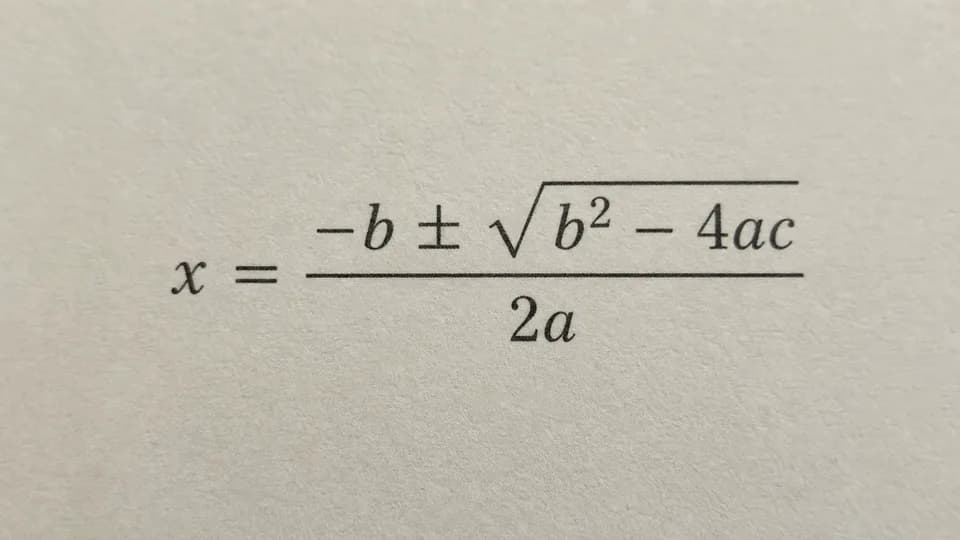
A cropped textbook equation can become a compact LaTeX expression ready for an equation environment.
x = \frac{-b \pm \sqrt{b^2 - 4ac}}{2a}Check the sign before the square root and distinguish the numeral 0 from the letter O.
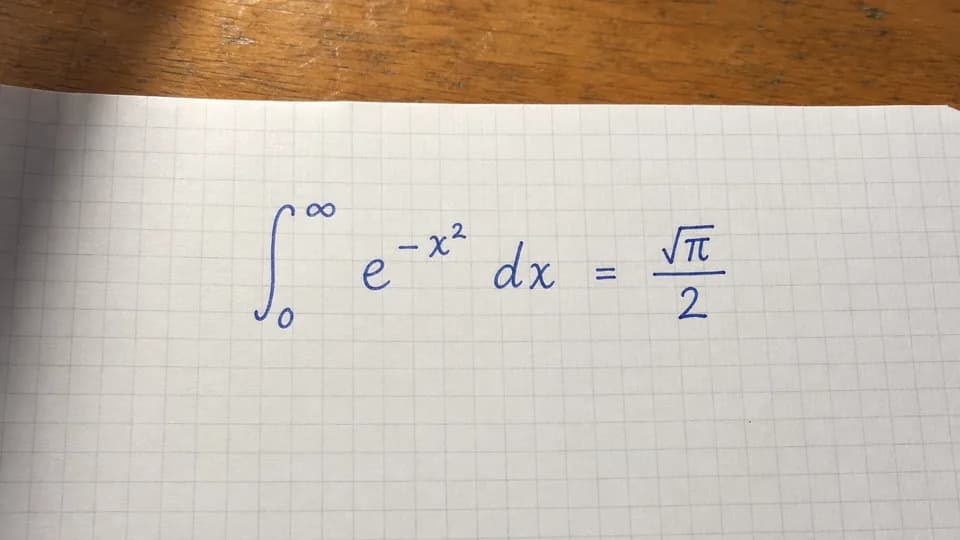
Handwriting-to-LaTeX conversion can preserve limits, exponents, spacing commands, and special symbols.
\int_0^\infty e^{-x^2}\,dx = \frac{\sqrt{\pi}}{2}Clear writing and a straight, high-contrast photo usually reduce symbol ambiguity.
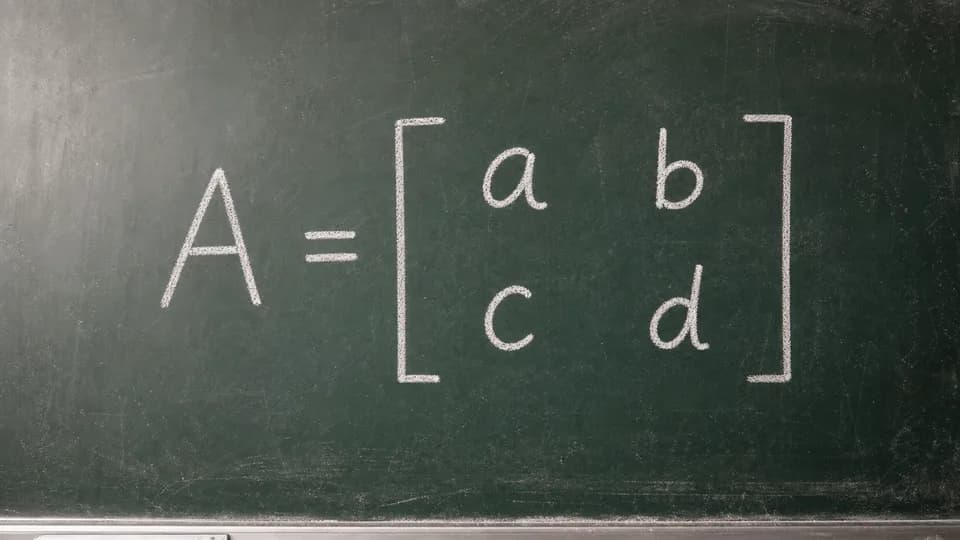
Rows, columns, brackets, and cell order can be represented with a standard LaTeX matrix environment.
A = \begin{bmatrix} a & b \\ c & d \end{bmatrix}Review row breaks and verify that vertical strokes were not read as the numeral 1.
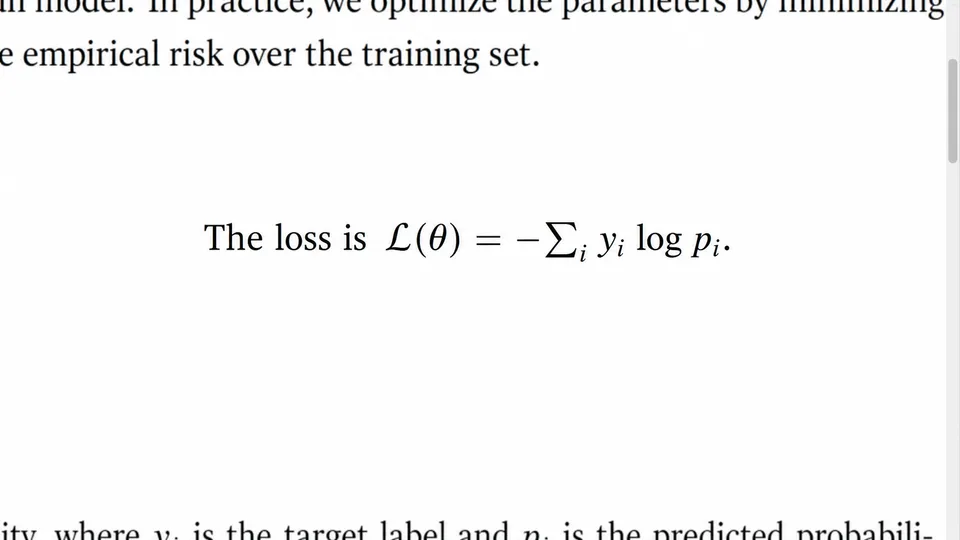
For a page containing prose and math, the result can stay as Markdown with embedded LaTeX instead of returning formula code alone.
The loss is $\mathcal{L}(\theta) = -\sum_i y_i \log p_i$.This mixed output is useful when digitizing notes, papers, and technical documentation.
HOW IT WORKS
Convert your equation image directly on this page: upload it, run OCR, then review and copy or export the result.
PRINTED AND HANDWRITTEN MATH
Equation images vary widely, so recognition quality depends on both the notation and the source image. FreeOCR is designed for common printed, handwritten, and document-layout cases without claiming perfect transcription.
LATEX OCR COVERAGE
Results vary by image quality and notation, but these are common structures to test with a picture-to-LaTeX or equation-to-LaTeX workflow.
Fractions, roots, subscripts, superscripts, grouped expressions, and nested notation.
Integrals, limits, derivatives, Greek letters, infinity, and common operators.
Bracketed matrices, aligned rows, piecewise expressions, and multiline equations.
Summations, products, arrows, inequalities, set notation, and logical symbols.
A few image-preparation steps can make a larger difference than repeatedly converting the same unclear source.
Remove page margins, unrelated diagrams, and nearby equations when you want one clean LaTeX expression.
Avoid motion blur, heavy shadows, strong perspective, and low-resolution screenshots. Keep every superscript and subscript visible.
Compare the output with the source, especially for similar glyphs, minus signs, decimal points, matrix separators, and handwritten variables.
WHERE TO USE THE OUTPUT
Once the equation is text instead of pixels, you can revise it, reuse it, and keep it with the rest of your work.
Math OCR produces a draft that should be checked against the source. It is especially important to review notation before submitting a paper, grading work, or using a formula in software.
RELATED WORKFLOWS
Choose the workflow that matches what you need to do after converting the equation image.
FAQ
Practical answers about converting pictures, handwriting, PNG files, and equation screenshots to editable math.
Upload or paste the equation image in the converter on this page and run OCR. Review the recognized symbols, then copy the Markdown-compatible LaTeX or export the result to Word.
Yes. FreeOCR accepts common image formats including PNG, JPG, WEBP, HEIC, and GIF. A tightly cropped, high-resolution screenshot usually makes small superscripts, subscripts, and punctuation easier to recognize.
FreeOCR can recognize legible handwritten equations, notes, and whiteboard photos. Handwriting varies, so compare the result with the image and check similar characters such as 1, l, I, 0, and O.
Yes. Copy the recognized LaTeX into Overleaf, then place it in the inline, display, equation, align, matrix, or other environment required by your document.
It can recognize common matrices, aligned rows, piecewise expressions, and multiline equations. Dense layouts and faint separators should be reviewed carefully after conversion.
You can process up to 10 images per day for free without an account. This allowance is shared across our standard tools and is used before credits. Once it runs out, sign in to continue on this page for 1 credit per image. New accounts receive 50 bonus credits. You can top up or subscribe for more credits without switching pages.
Characters such as x and the multiplication sign, 1 and l, or 0 and O can look nearly identical in a low-quality image. Blur, shadows, handwriting, and unusual notation can also create ambiguity, so math OCR output should be reviewed.
Yes. Export the OCR result as a Word document and FreeOCR will convert recognized LaTeX formulas into native, editable Word equations while preserving surrounding content where possible.
In math OCR searches, image to TeX usually means extracting LaTeX source from an equation picture. TeX is the underlying typesetting system, while LaTeX supplies the document commands and environments most people copy into editors such as Overleaf.
No. FreeOCR is a math image-to-text and equation OCR tool: it transcribes formulas and surrounding document content into editable formats. It does not generate a step-by-step solution, so the result should be used as editable source text rather than as a verified answer.
Upload a picture, screenshot, scan or handwritten formula on this page and turn it into editable LaTeX, Markdown or Word content.
Up to 10 free images per day without an account. Sign up for 50 bonus credits and continue on this page with credits after your free allowance runs out.
Drag & drop an image here, or click to upload
You can also paste an image (Ctrl+V / Cmd+V)
Loading today’s free allowance…