Intelligent Desktop OCR
Boost your productivity with our native desktop application. Designed for heavy workloads and professional document processing.
Desktop is under active development. For suggestions or issues, please email admin@freeocr.ai
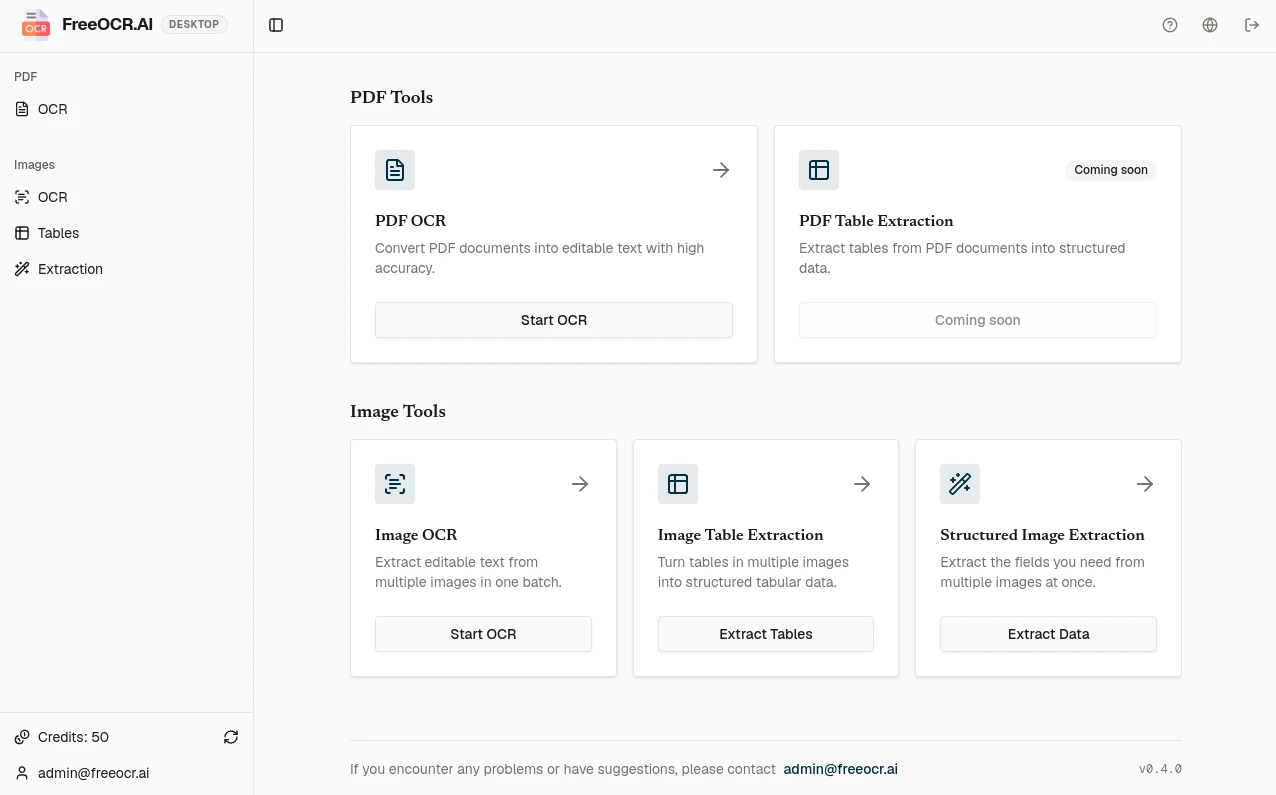
Built for Professionals
Batch convert PDF documents into editable formats with high precision and layout preservation.
Advanced AI models specifically tuned for recognizing handwritten notes and documents.
Seamlessly extract complex mathematical formulas and equations into LaTeX or editable text.
Intelligent table recognition that maintains structure, even for nested or borderless tables.
PDF OCR
Batch Process PDFs in Three Output Formats
Select once
Multiple PDFs or an entire folder
Each document is processed separately and receives its own result.
PDF to Text
TXT removes visual formatting on purpose, giving you lightweight text that is easy to open, copy, search and reuse.
Explore PDF to TextPDF to Markdown
Keep useful document structure in a portable format that works with editors, repositories and AI workflows.
Explore PDF to MarkdownPDF to Word
Turn scanned pages into native, editable Word elements instead of flat text or static pictures.
Explore PDF to WordBENCHMARK
Engineered for Massive Documents
Unlike browser tabs constrained by upload limits and tab memory crashes, FreeOCR Desktop processes multi-hundred-page archives steadily.
WORKLOAD BENCHMARK
318 MB Scanned Volume Converted Without Memory Leaks
Processed natively in FreeOCR Desktop. Generated a 14.4 MB structured Markdown file from an 1884 historical journal without timeout, truncation, or manual splitting.
IMAGE BATCH
Batch images, save results beside the originals
Select once
Multiple images or an entire folder
Extract text, tables, or structured fields in one batch.
Image to Text
Batch export editable Text, Markdown, or Word files.
Use Image OCR OnlineImage to Excel
Turn tables in images into CSV or Excel files in one batch.
Extract Image Tables OnlineField Extraction
Choose fields such as invoice number, date, or total and export structured data in bulk.
Extract Image Fields OnlineSupports JPG, JPEG, PNG, WebP, BMP, HEIC, and HEIF. Images are compressed locally before upload for processing and are not added to cloud history. Results are saved beside the original image as TXT, Markdown, Word, CSV, or Excel files without overwriting it.
Your Privacy is Our Priority
Encrypted in Transit
OCR requires an internet connection. Images or rendered PDF pages are sent to the cloud over HTTPS for recognition.
Results Saved Locally
Results are saved on your computer and are not added to cloud history.
RELEASE NOTES
Recent updates
v0.5
Resumable PDF batches
- PDF pages now process one at a time, so an interrupted batch keeps the pages already recognized.
- Continue where processing stopped, or export the finished pages.
- Recognition is charged per page, failed pages are refunded, and the app opens the top-up page when credits run out.
v0.4
Batch image workflows
- Convert a group of images to Text, Markdown, or Word.
- Extract tables from images into CSV or Excel files.
- Choose fields such as invoice number, date, or total and export structured data as CSV or Excel.
v0.3
Batch PDF processing
- Process multiple PDFs or an entire folder in one queue.
- Export every PDF as Text, Markdown, or Word.
- Track every file, retry failed PDFs, and save each result beside its source file.
Ready to Level Up?
Permanent and subscription credits work on standard tool pages, in the workspace and in FreeOCR Desktop. Batch processing accepts either type of credit; a subscription is not required.