01
English Cursive Letter
HANDWRITING OCR
Upload a photo or scan of handwritten notes or cursive writing. Convert it to editable text, then copy it or download as Word, TXT or Markdown.
Try free without an account. Daily limits apply; credits let you continue after your free allowance runs out.
Advertisement. The content below is provided by third parties and is not part of FreeOCR.AI's services.
EXAMPLES
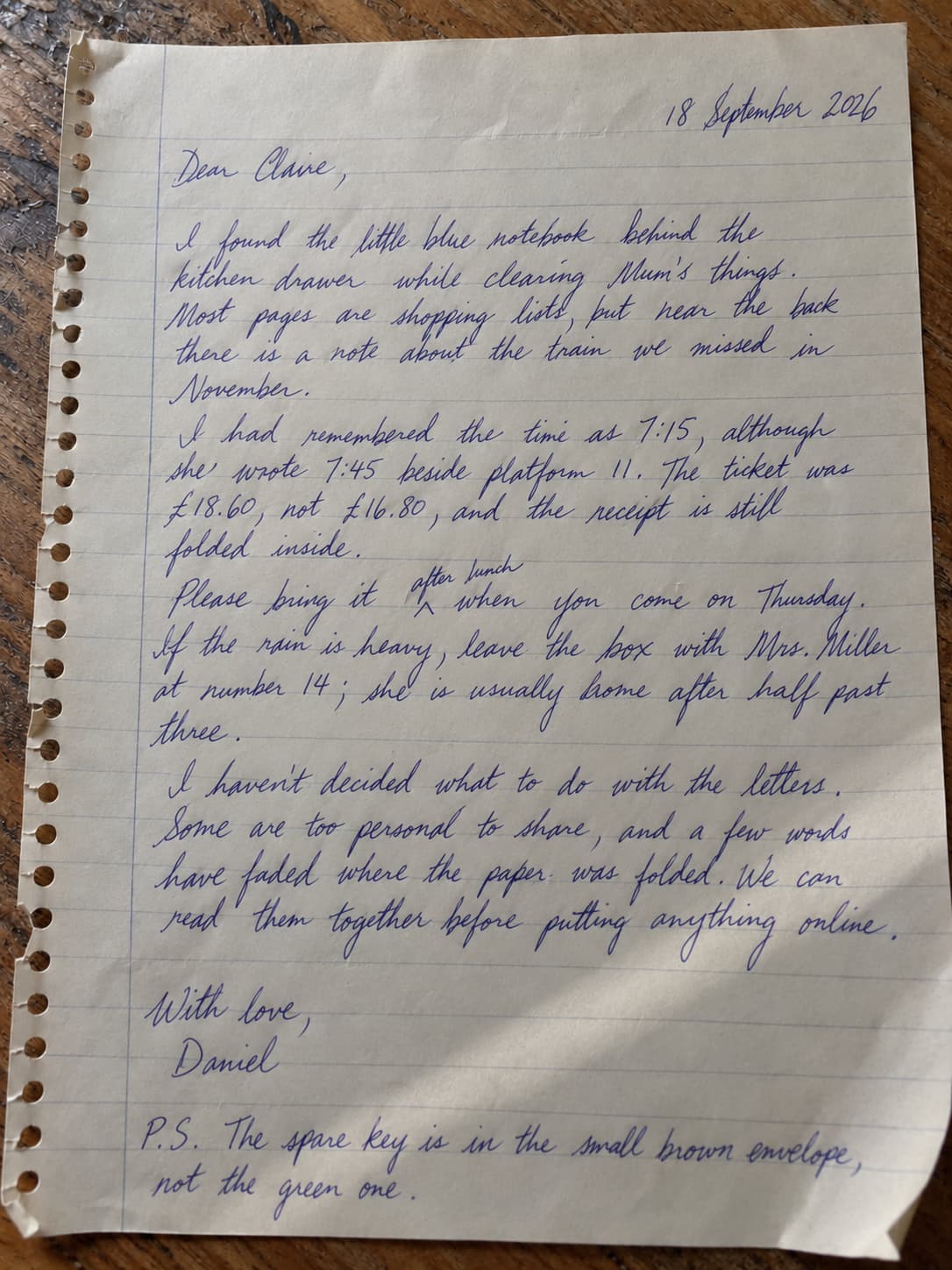
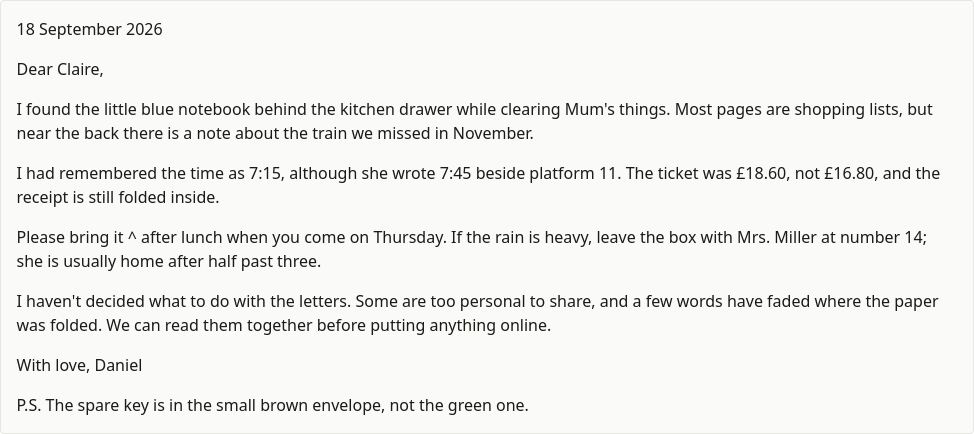
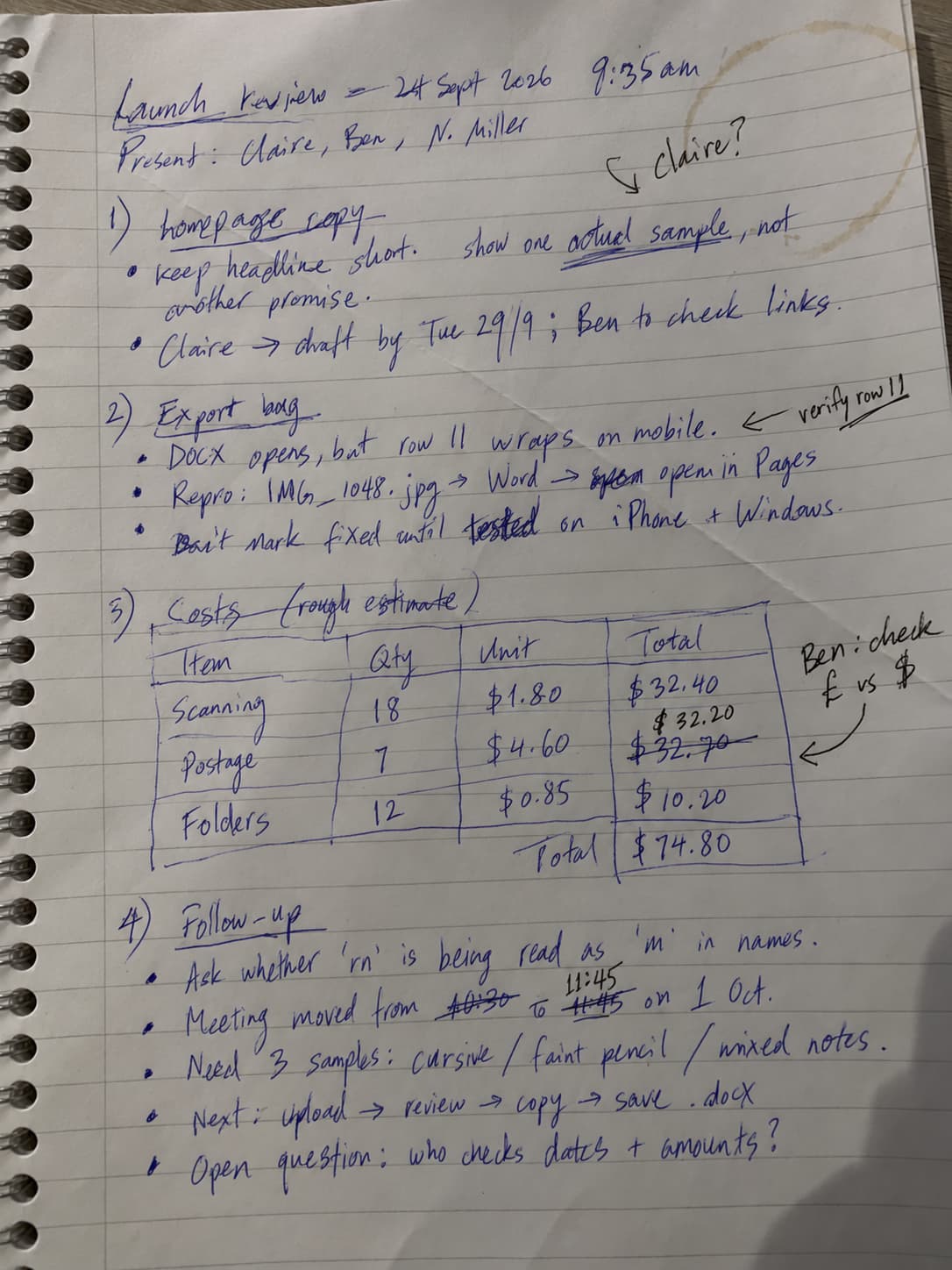
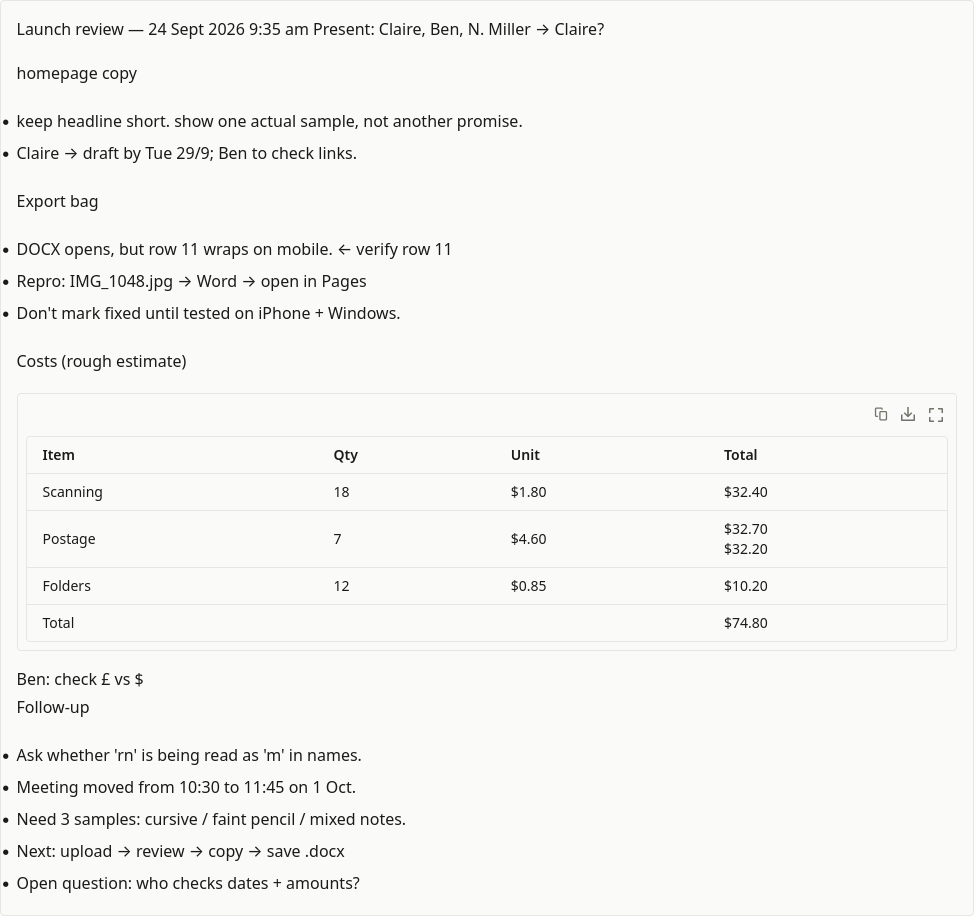
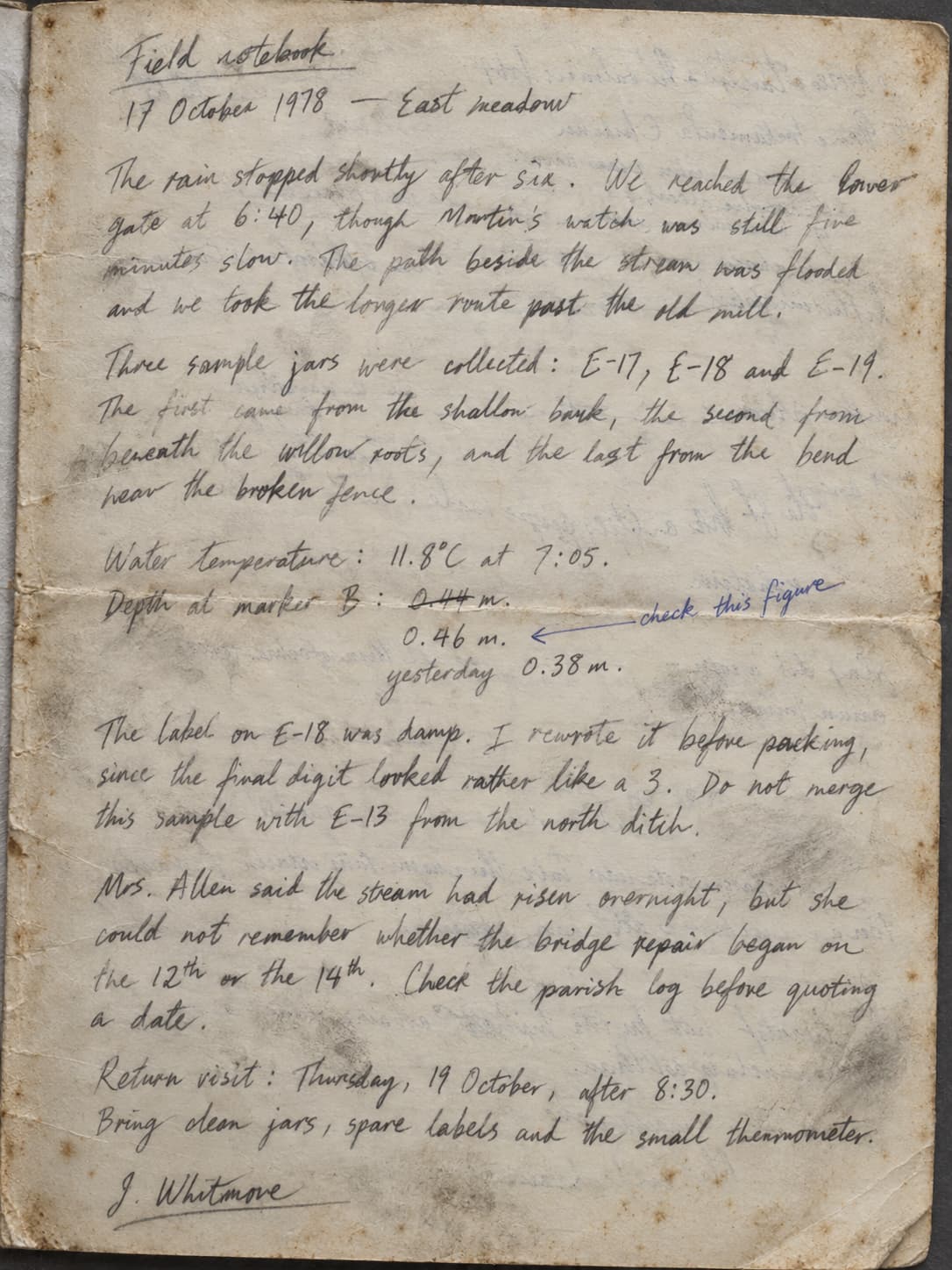
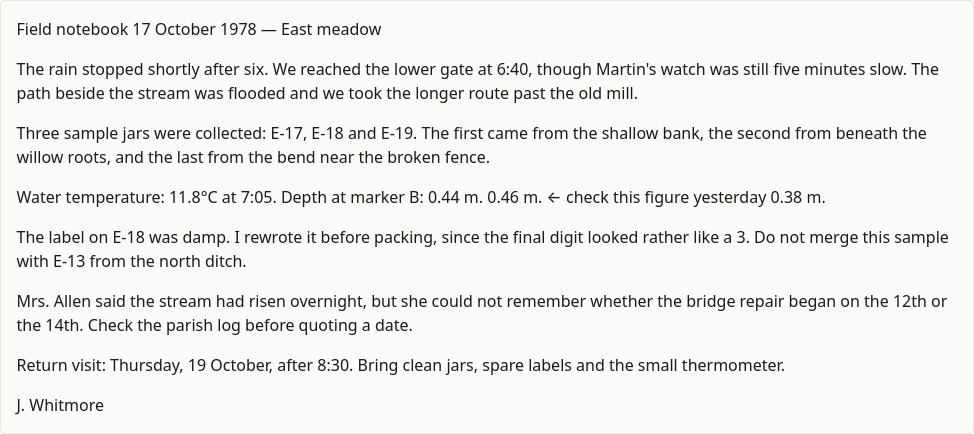
Compare handwritten letters, meeting notes and faded pages with their FreeOCR.AI results. Check the text, numbers and table structure side by side.
01
02
03
WORKFLOW
No separate scanner app is required. Start with an existing photo or take a clear picture of the page with your phone.

Choose, drag or paste an image of a notebook page, letter, whiteboard or other handwritten document.

Submit the image. FreeOCR reads the visible writing and turns the recognized content into editable text.
Check names, numbers and unclear words, then copy the text or download it as TXT, Markdown or Word.
RESULTS
The converter is built for practical note digitization, with editable output you can search, revise and reuse.
ACCURACY
Handwriting recognition is harder than printed-text OCR. A better source image gives the model fewer ambiguous strokes to interpret.
USE CASES
Use handwriting OCR whenever paper notes need to become searchable, editable or easier to share.
LIMITS
Treat the result as a working transcript, not a guaranteed perfect copy of the handwritten page.
FAQ
Upload or paste a clear image of the handwritten page, complete verification if requested and submit it. Review the recognized text, then copy it or download it as TXT, Markdown or Word.
It can recognize both cursive and printed handwriting, but results depend on how legible the writing is and how clearly it appears in the image. Always review important details.
Yes. Take a well-lit, in-focus photo from directly above the page, then upload it here. You can also use an existing scan or screenshot.
You can process up to 10 images per day for free without an account. This allowance is shared across our standard tools and is used before credits. Once it runs out, sign in to continue on this page for 1 credit per image. New accounts receive 20 bonus credits. You can top up or subscribe for more credits without switching pages.
You can copy the recognized text or download the result as a TXT file, Markdown file or editable Word document.
No. Handwriting to text reads writing from an image and produces editable digital text. Text to handwriting does the opposite by styling typed text to look handwritten.
Upload a clear photo or scan, run handwriting OCR and reuse the result without typing the whole page again.
Drag & drop an image here, or click to upload
You can also paste an image (Ctrl+V / Cmd+V)
Loading today’s free allowance…