Is OCR accurate for handwritten invoices?
Modern AI-powered OCR models are significantly better at recognizing handwriting than traditional software, though accuracy may vary depending on the legibility of the text.
Extract invoice fields and line items from scans, screenshots, PDFs, and phone photos. Use the free tool for one invoice or batch extraction in the workspace for AP workflows.
Invoice OCR (Optical Character Recognition) is a specialized technology that automatically extracts data from invoices and receipts. It converts images (scans, photos) into structured, machine-readable data that can be used for accounting, ERP systems, and financial analysis.
While traditional OCR relies on rigid templates, modern AI-powered Invoice OCR uses Large Language Models (LLMs) and computer vision to understand the context and layout of any invoice, regardless of its format.
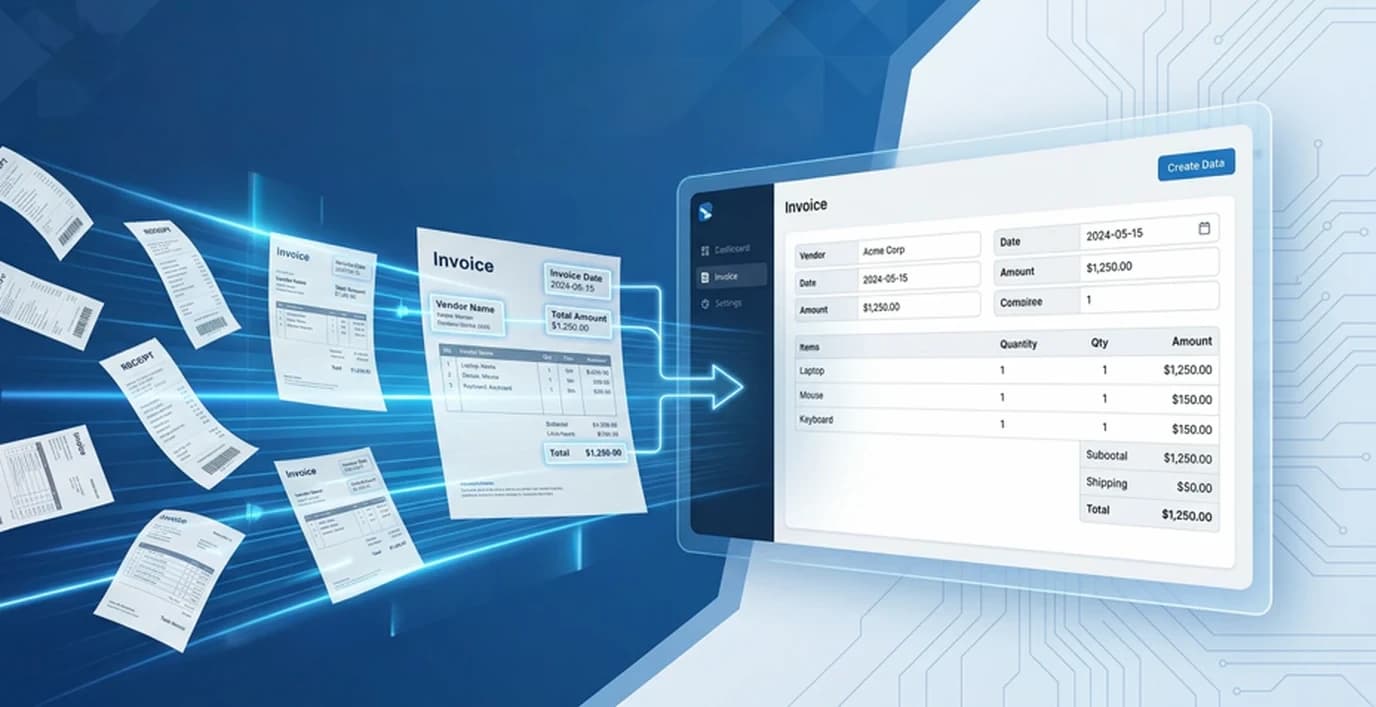
Invoices are received through multiple channels like email attachments, mobile scans, or direct uploads in various formats (JPG, PNG).
The AI identifies and extracts key fields such as vendor name, date, invoice number, tax amounts, and totals.
Advanced engines extract granular details like SKUs, descriptions, quantities, and unit prices from complex tables.
The extracted data is cleaned and validated, often matched against purchase orders (PO) to ensure accuracy.
Finally, the structured data is seamlessly exported to your ERP or accounting software (like QuickBooks, Xero, or SAP).
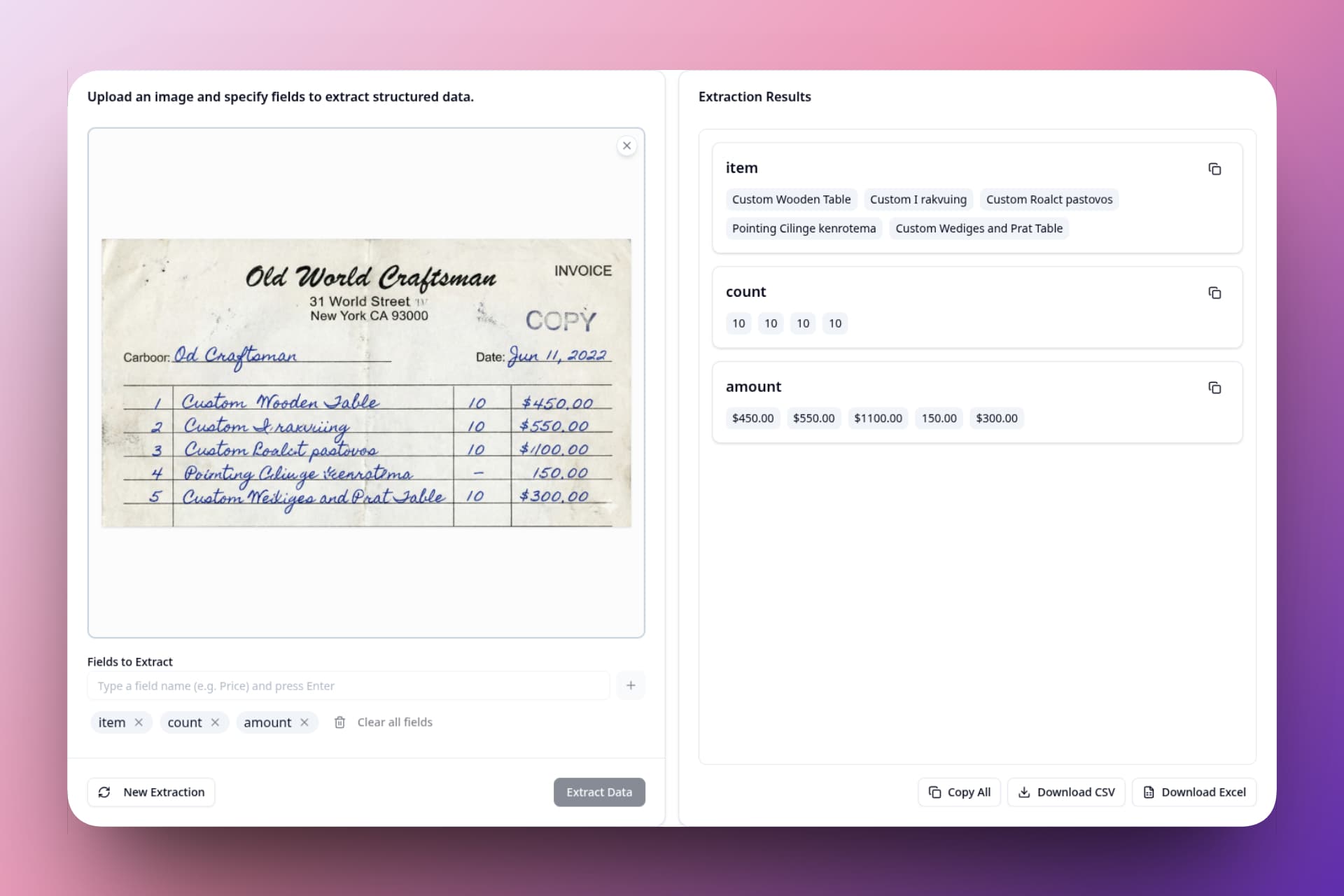
Process invoice stacks with one field schema. Extract invoice numbers, vendors, dates, totals, tax amounts, and line items from many invoices at once.
FreeOCR.ai leverages the latest generative AI models to provide superior accuracy in line-item extraction compared to traditional template-based solutions. Our engine learns and adapts to new layouts instantly, ensuring high reliability for any invoice type.
Ready to experience the future of AP? Try our free tool or book a demo.
Modern AI-powered OCR models are significantly better at recognizing handwriting than traditional software, though accuracy may vary depending on the legibility of the text.
You can use our developer-friendly REST API to send invoice images and receive structured JSON data in return. Check our documentation for code examples.
PO-based invoices are matched against a pre-approved purchase order, while non-PO invoices require a separate approval workflow. Our OCR handles both types seamlessly.
Yes, our AI models are trained on global document sets and can accurately extract data from invoices in most major languages.
Ready to experience the future of AP? Try our free tool or book a demo.