01
Photographed Invoice with Native Word Table
A photographed paper invoice with handwritten notes and ruled lines is reconstructed into an editable Word table grid instead of a static embedded image.
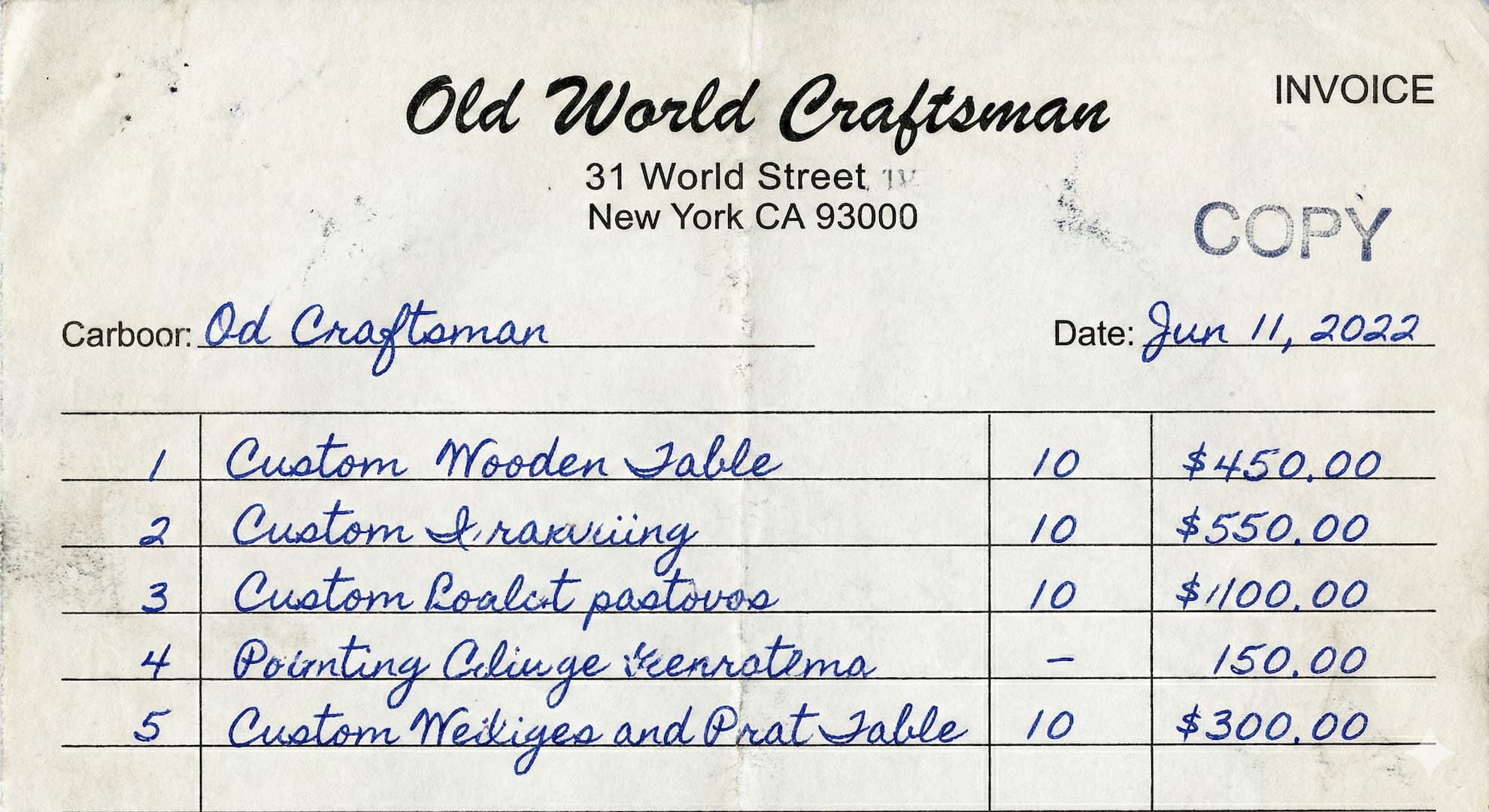
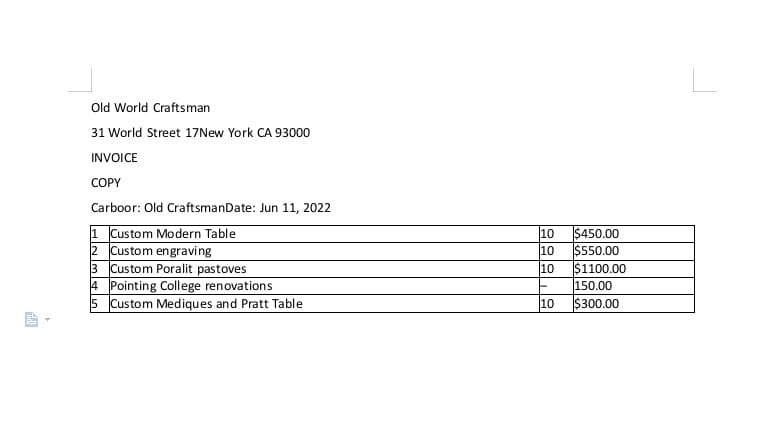
IMAGE OCR
Convert JPG, PNG, or scanned documents to editable Word (.docx) online. AI OCR rebuilds recognized text, headings, native Word tables, and math equations without manual retyping.
Web input: image files only. For a complete multi-page PDF, use the dedicated PDF to Word workflow in FreeOCR Desktop.
Advertisement. The content below is provided by third parties and is not part of FreeOCR.AI's services.
INPUT
Upload one image to the free AI OCR tool. Recognized text, native tables, and equations are preserved directly in the downloaded .docx file.
Ideal for smartphone photos, book pages, and scanned paper documents. AI OCR automatically compensates for shadows and angles, turning photographed text into clean Word paragraphs.
Perfect for screen captures, financial reports, and academic papers. Extracts tables and mathematical equations without quality loss and rebuilds them as native, editable Word elements.
Upload modern web images directly without converting them first.
Use photos captured on an iPhone or iPad as the OCR source.
EXAMPLES
Inspect how photographed documents, paper forms, and textbook pages convert into editable Word (.docx) documents with native tables and equations.
01
A photographed paper invoice with handwritten notes and ruled lines is reconstructed into an editable Word table grid instead of a static embedded image.
02
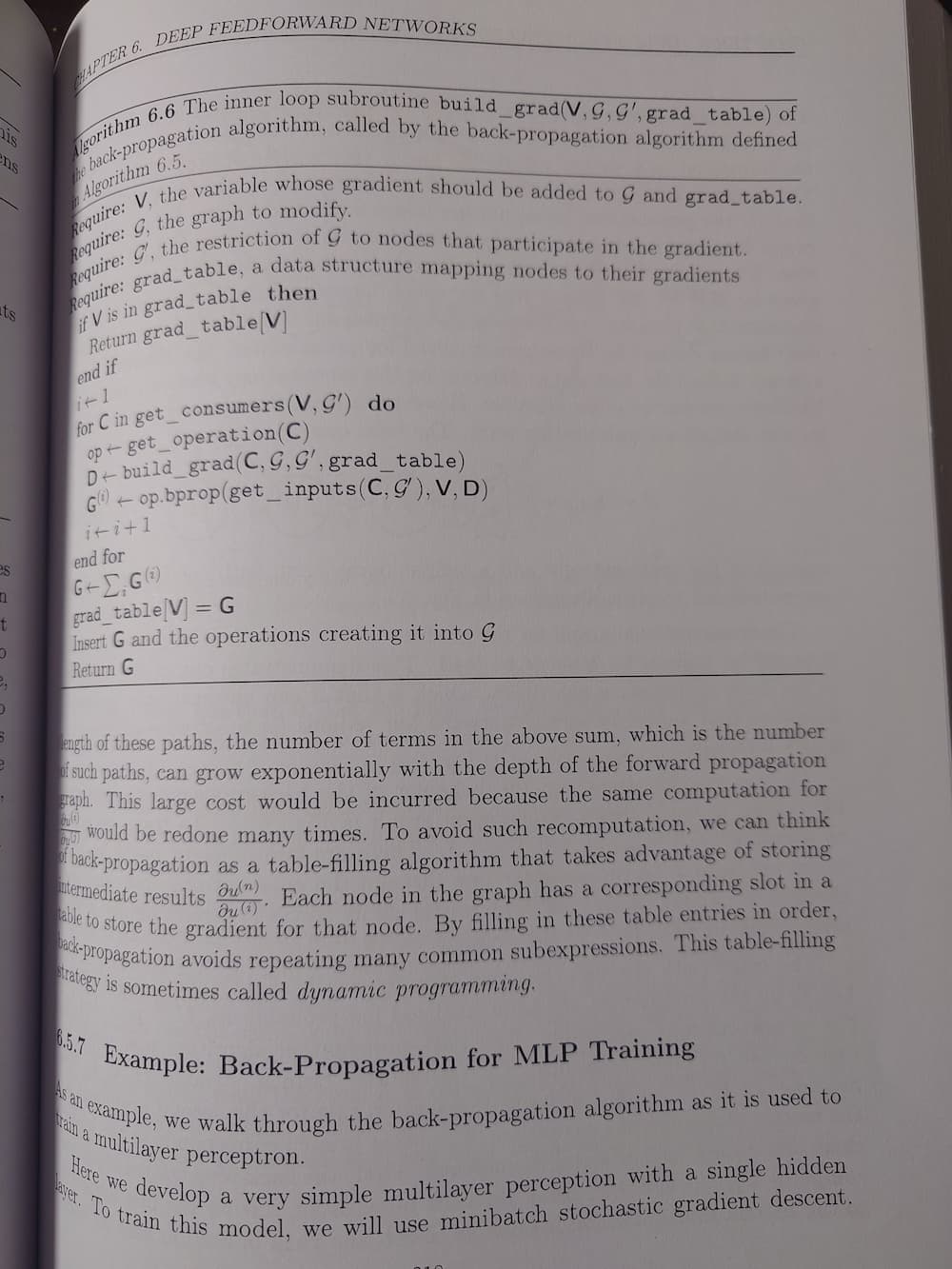
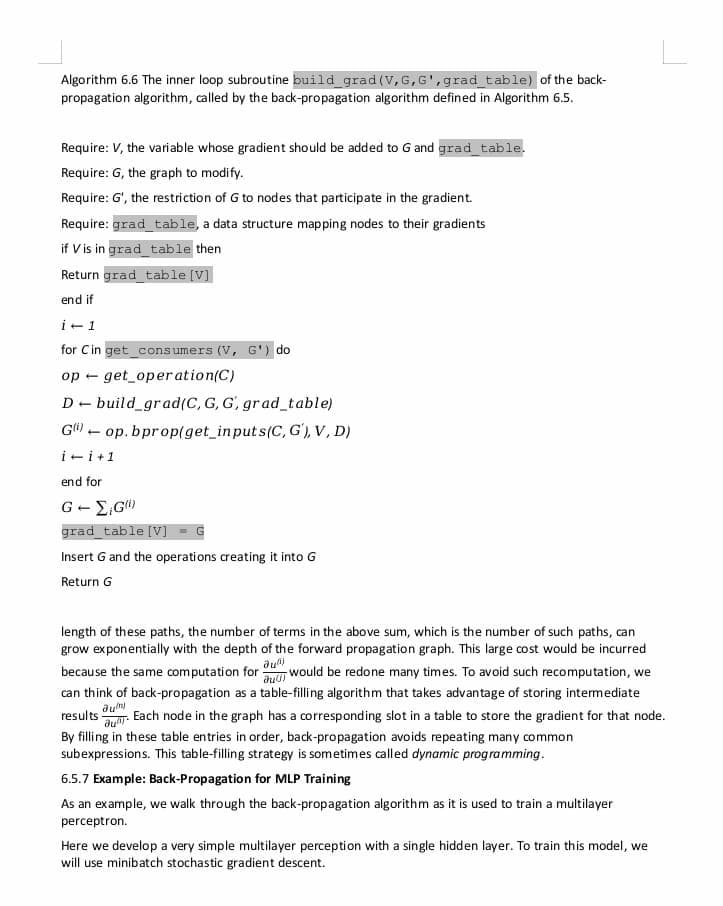
A tilted photo of a textbook page with formulas and algorithmic pseudocode is flattened and rebuilt into clean Word paragraphs with native editable equations.
WORKFLOW
There is no hidden Word-mode URL preset. Start in the existing web OCR tool and choose Word after recognition.

Open the free OCR tool and add one JPG, JPEG, PNG, WebP or HEIC image by file picker, drag and drop, or clipboard paste.

FreeOCR extracts visible text and represents paragraphs, headings, lists, tables and supported formulas as structured content.
Review the OCR result, open the download options and choose Word to create and download a real .docx file.
WORD OUTPUT
The DOCX export rebuilds recognized document structure as editable Word objects instead of inserting the source picture as one flat image.
EDITING
The downloaded .docx opens in Microsoft Word and other compatible editors. It is structured content, not a pixel-perfect copy of the photographed page.
Correct OCR errors and rewrite recognized paragraphs directly in your document editor.
Change heading styles, list formatting, fonts and paragraph spacing to match your final document.
Edit table cells and supported equations as Word objects, then save the revised DOCX.
USE CASES
Use Image to Word when the source is a single image rather than a complete PDF document.
Use this page for one image at a time. For multiple images at once, sign in to the workspace for batch OCR and use your available credits. No subscription is required.
WEB VS DESKTOP
Choose the workflow based on the actual source file. The web page does not accept or process a complete PDF.
| Workflow | Image to Word (Web) | PDF to Word (Desktop) |
|---|---|---|
| Input | JPG, JPEG, PNG, WebP or HEIC images | A complete PDF file |
| Document size | One image at a time on this page; multiple images in the batch workspace | Every page of one PDF in a run |
| Output | A DOCX for each recognized image result | One combined DOCX for the PDF |
| Best for | Photos, screenshots and individual scans | Multi-page scanned documents |
LIMITS
OCR accuracy and structure recovery depend on the source image. Review the result before relying on it.
FAQ
Open FreeOCR's web OCR tool, upload one supported image and run recognition. Review the result, open the download options and choose Word. FreeOCR generates a real editable .docx file in your browser.
Simply upload your JPG photo or PNG screenshot into FreeOCR. The AI engine recognizes document structure—including headings, bullet lists, native Word tables, and math equations—and exports a real, fully editable .docx file instead of a flat image.
Recognized tables are rebuilt as native Word tables, and paragraphs, headings and lists can retain their structure. The output does not reproduce exact page geometry, columns, sidebars or every visual detail. Results depend on image quality and OCR accuracy.
Yes. Recognized inline and block formulas can be exported as native, editable Word equations when their notation is supported. Very complex, unusual or unclear formulas may require manual correction.
Use this page for one image at a time. For multiple images at once, sign in to the batch OCR workspace and use your available credits, without a subscription. Each result is saved in OCR history for download as Word, Markdown or text.
Do not upload a complete PDF to the web Image to Word tool. Use FreeOCR Desktop's PDF to Word workflow to process every page and combine the recognized content into one DOCX file.
You can process up to 10 images per day for free without an account. This allowance is shared across our standard tools and is used before credits. Once it runs out, sign in to continue on this page for 1 credit per image. New accounts receive 20 bonus credits. You can top up or subscribe for more credits without switching pages.
Upload a JPG, PNG, WebP or HEIC image, run AI OCR and download the recognized result as a real .docx file.
Drag & drop an image here, or click to upload
You can also paste an image (Ctrl+V / Cmd+V)
Loading today’s free allowance…