01
Sales Report with Multilevel Headers
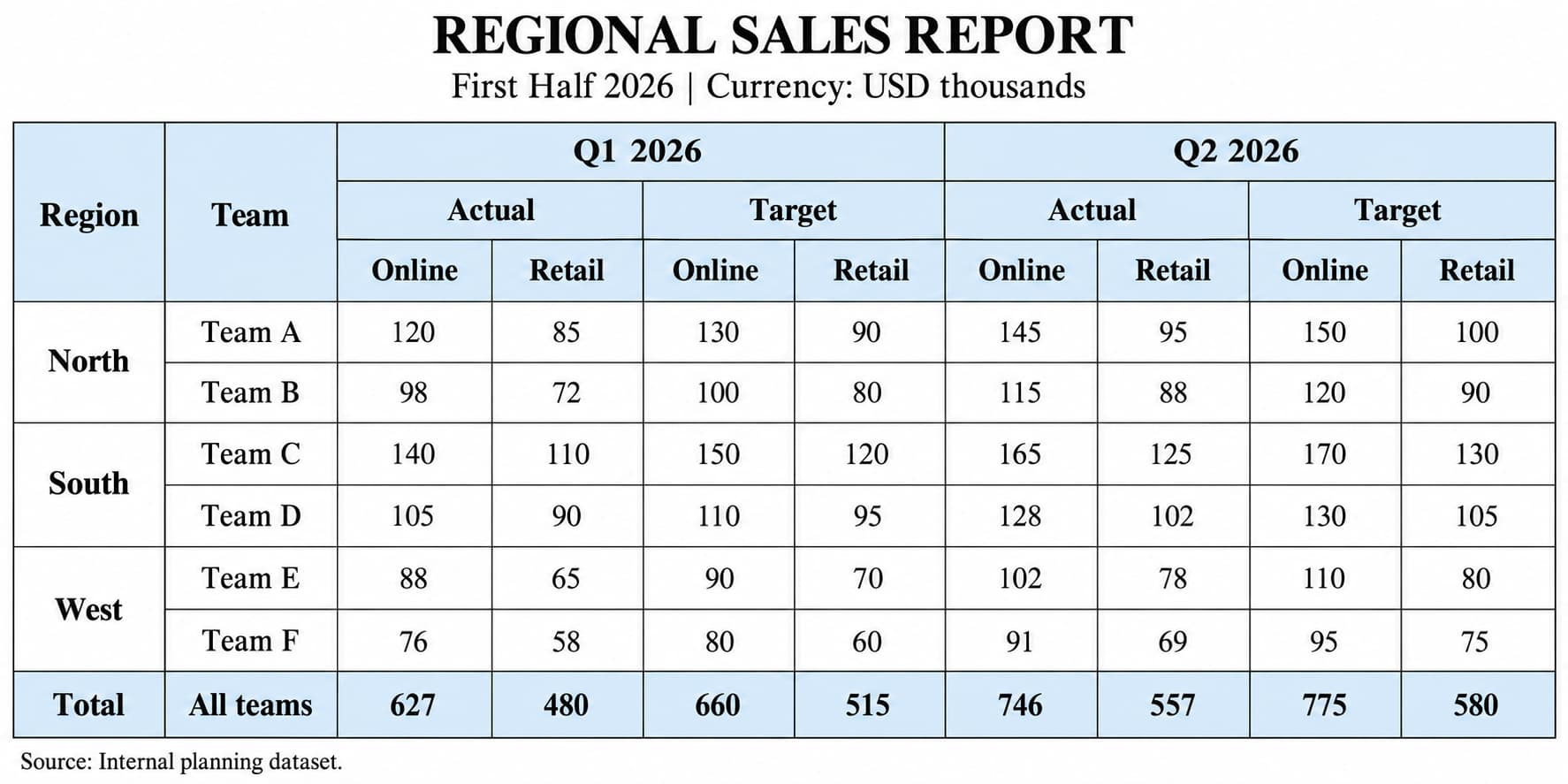
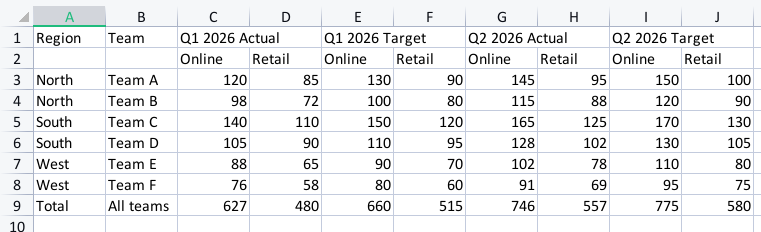
IMAGE TO EXCEL
Upload a JPG, PNG, photo, scan, or screenshot containing a table. AI recognizes the rows, columns, and headers so you can download a real XLSX spreadsheet, save CSV, or copy the data.
Process one image at a time with daily free usage, then use credits to continue here. For multiple images at once, use batch processing. Complete PDF files are not accepted here.
Advertisement. The content below is provided by third parties and is not part of FreeOCR.AI's services.
INPUT
Use a table photo, screenshot, or single scanned page. Clear, tightly cropped images usually produce the easiest spreadsheet to review.
Convert camera photos and compressed table images into XLSX or CSV.
Turn sharp screenshots and exported table images into spreadsheet data.
Extract rows and columns from modern web images without converting them first.
Upload supported phone photos directly and export the recognized table.
EXAMPLES
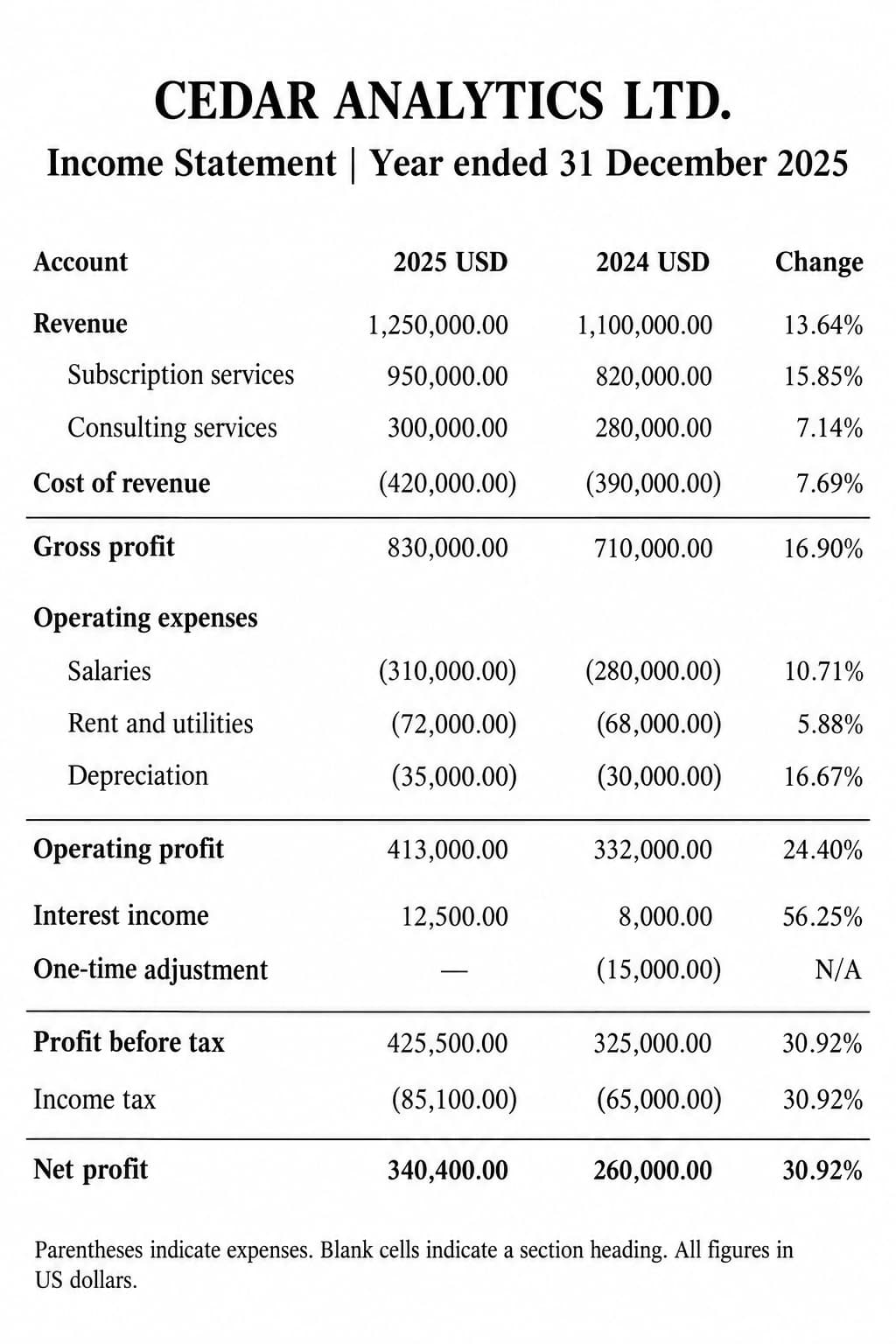
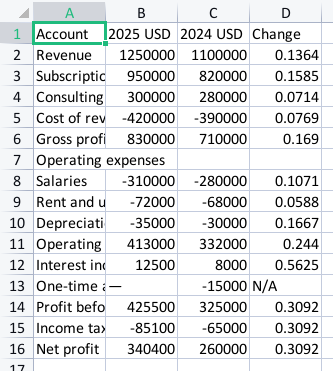
AI table recognition reconstructs the visible data as rows and columns before creating the Excel file.
01
02
03
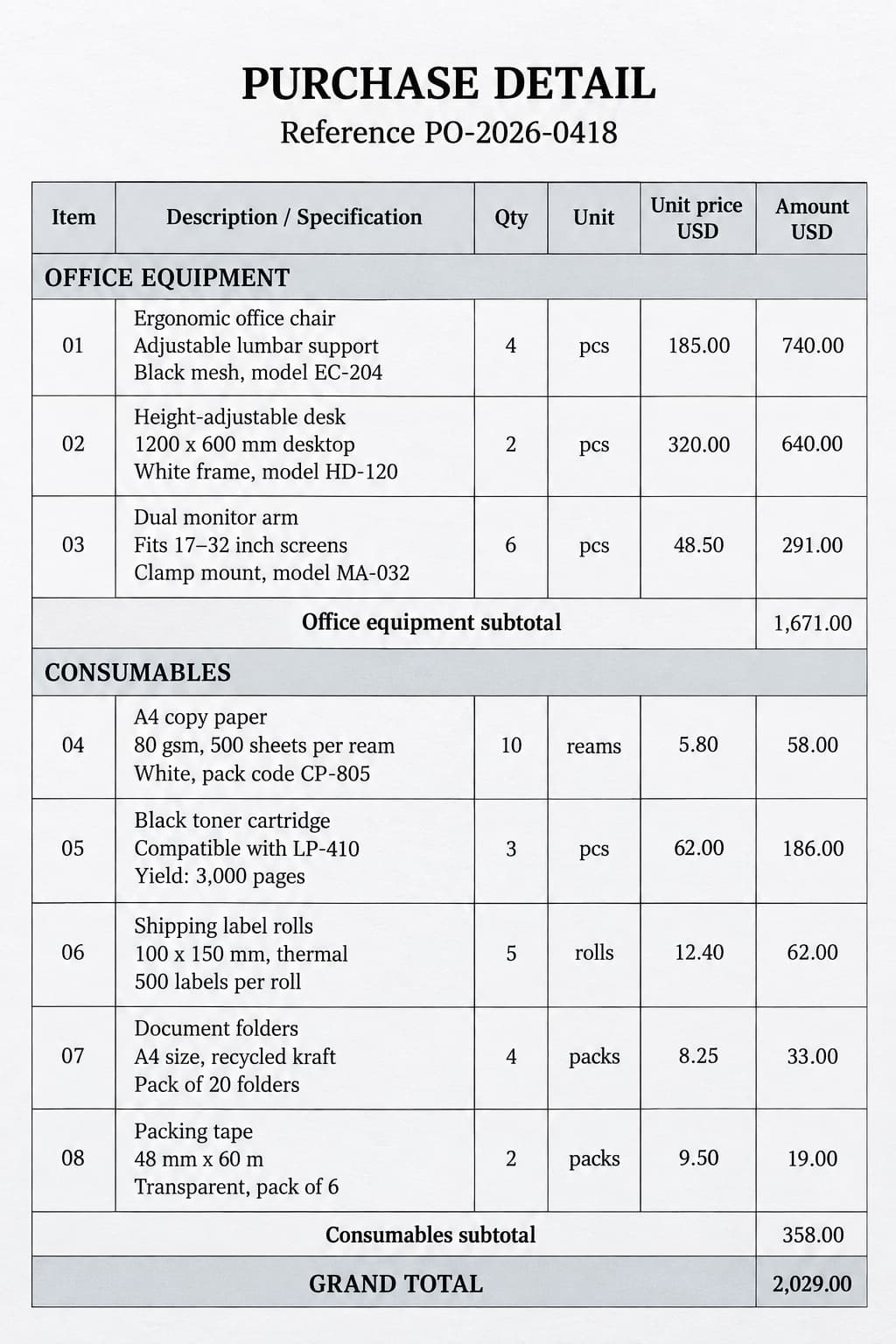
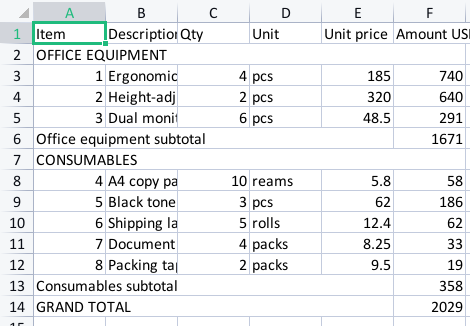
WORKFLOW
The browser workflow turns one table image into a spreadsheet in three steps.

Choose a supported JPG, PNG, WebP, BMP, HEIC, or HEIF image, or paste one from your clipboard.
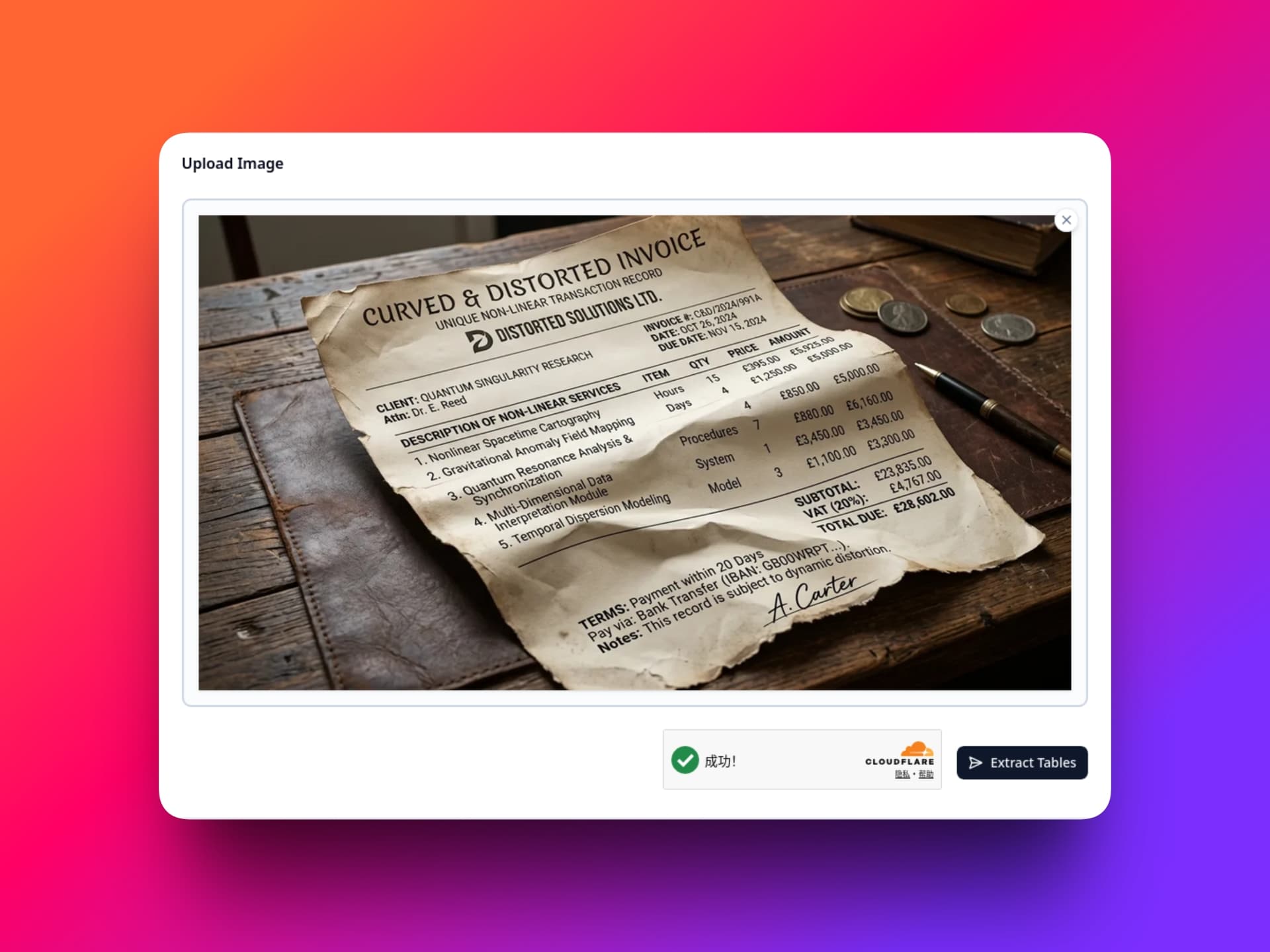
Run AI table recognition to detect separate tables, rows, columns, headers, and supported merged cells.
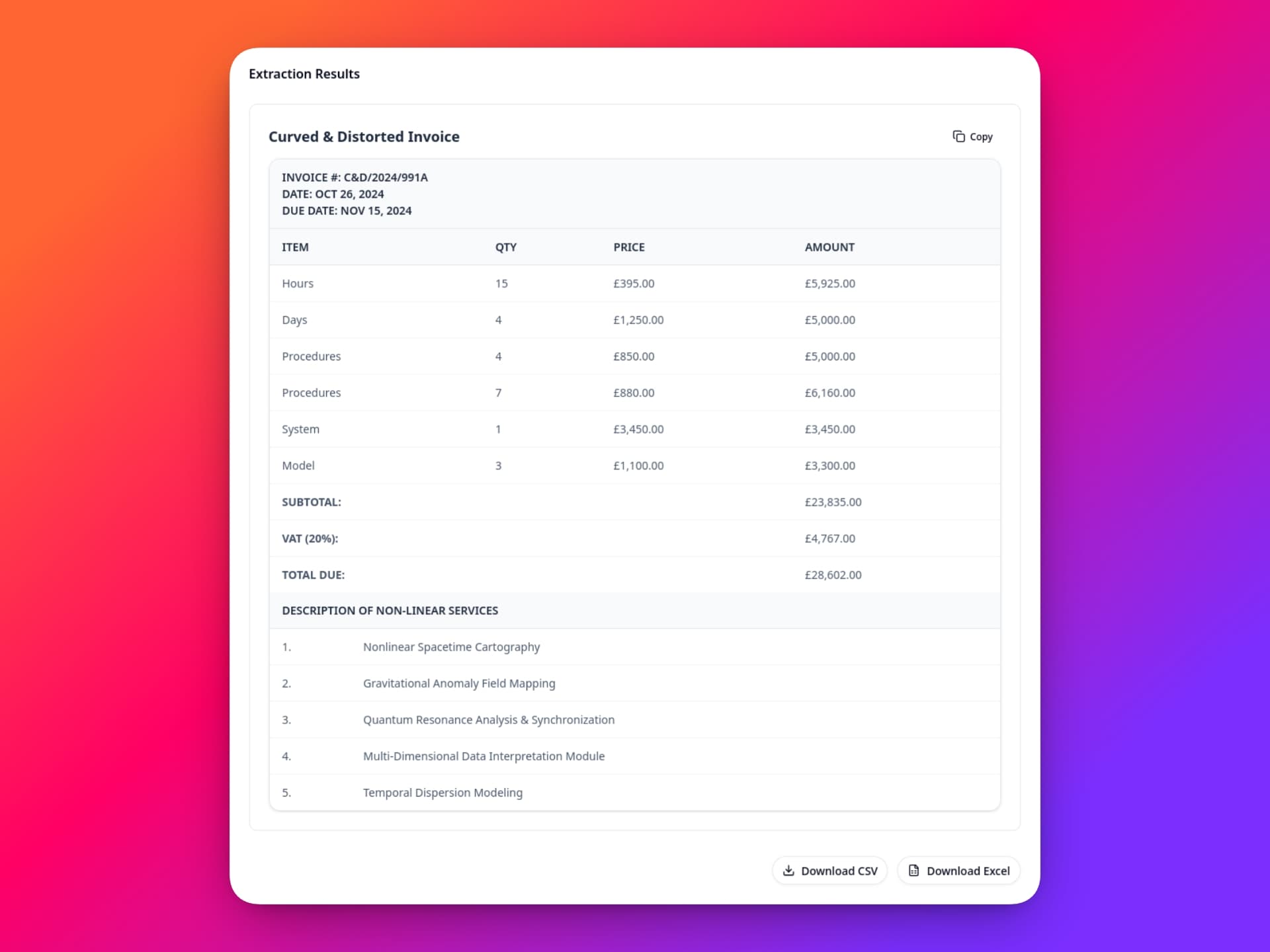
Review the preview, then download XLSX or CSV or copy a detected table into another spreadsheet.
EXCEL OUTPUT
The converter is designed for tabular data that needs to remain useful after OCR.
SOURCES
Use Image to Excel when the source is already a picture rather than a complete PDF document.
LIMITS
Image-to-Excel conversion is not lossless. Review important values and structure after OCR.
Use the Table OCR API to send images from your application and receive structured table data as JSON, CSV, or XLSX.
FAQ
Upload one supported table image, run table recognition, review the detected rows and columns, and choose Download Excel. The result is saved as an .xlsx file.
Yes. The web converter supports JPG, JPEG, PNG, WebP, BMP, HEIC, and HEIF images, including photos, screenshots, and single scanned pages.
It is designed to reconstruct rows, columns, headers, and supported merged cells. Complex or unclear layouts can still contain OCR or structure errors, so review the XLSX file.
Use this page for one image at a time. To process several at once, sign in to the batch table workspace and use your available credits. Results are saved separately; no subscription is required.
No. This browser workflow accepts image files, not complete PDFs. Convert or export the page you need as an image before using this tool.
Yes. Download XLSX or CSV, then import or open the file in Google Sheets. You can also copy a detected table and paste it into a spreadsheet.
You can process up to 10 images per day for free without an account. This allowance is shared across our standard tools and is used before credits. Once it runs out, sign in to continue on this page for 1 credit per image. New accounts receive 20 bonus credits. You can top up or subscribe for more credits without switching pages.
Upload one picture, recognize its spreadsheet structure, and download XLSX or CSV.
Drag & drop an image here, or click to upload
You can also paste an image (Ctrl+V / Cmd+V)
Loading today’s free allowance…