01
Invoice amounts
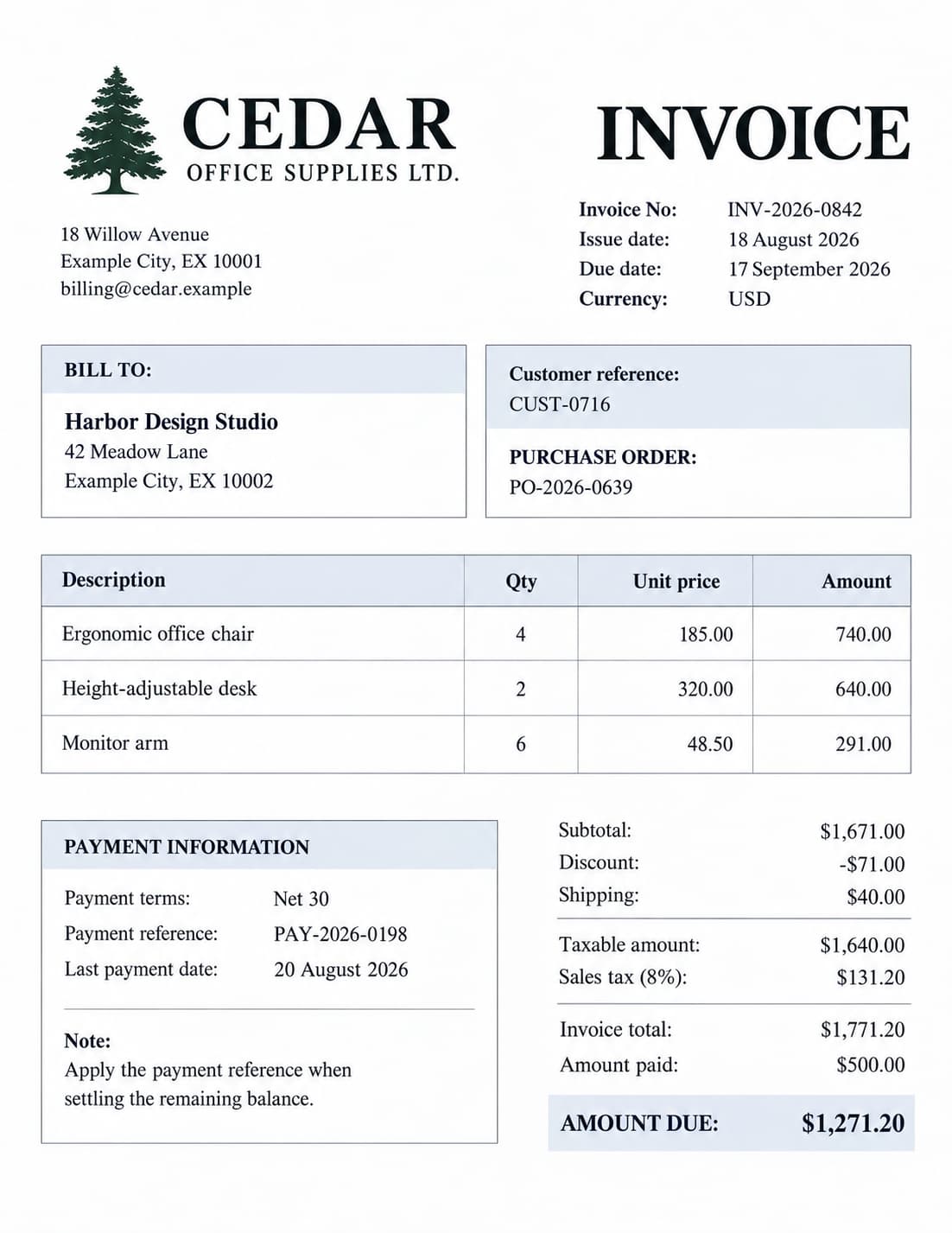
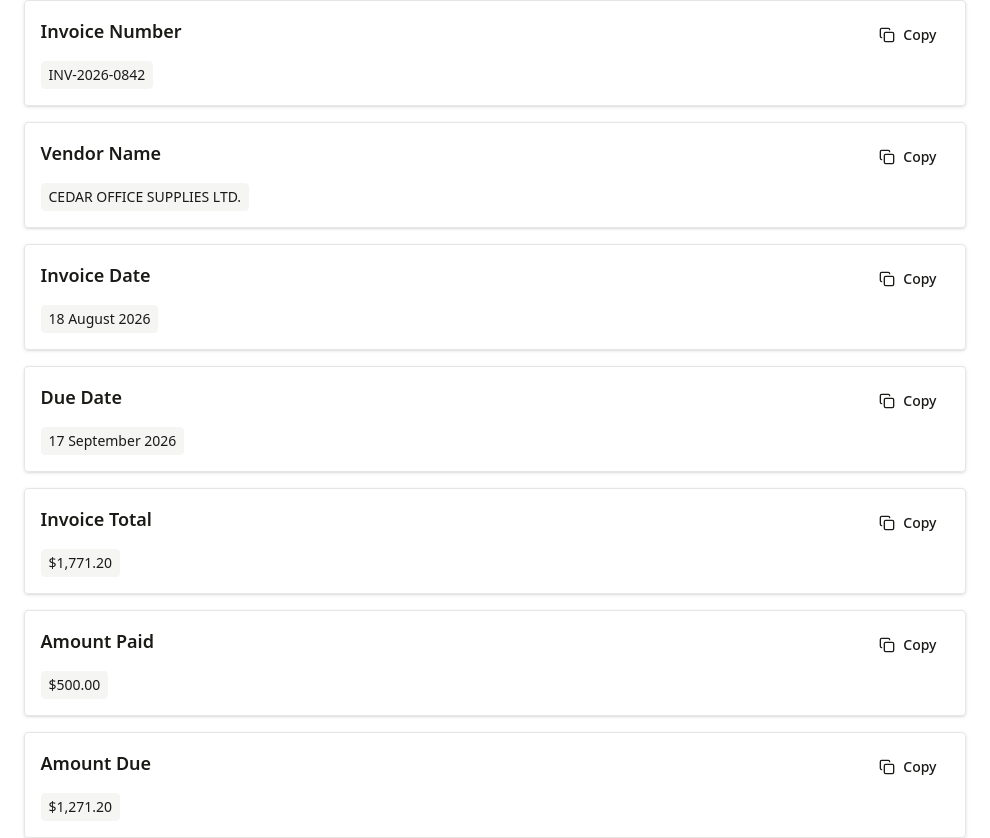
Extract invoice details and distinguish the invoice total, amount paid, and amount due.
AI Field Extraction
Upload one image, enter the fields you need, and get field-level results you can review, copy, or download as CSV or Excel.
Advertisement. The content below is provided by third parties and is not part of FreeOCR.AI's services.
Guide
The tool works with one image at a time and does not require a fixed template.
Capabilities
You define the field names for each image instead of selecting a fixed template. Ask for the values relevant to your image, then verify the returned data.
Get organized field names and values instead of a full-document layout reconstruction.
Extract requested fields from images containing text in more than 100 supported languages.
Review results on screen, copy them to the clipboard, or download CSV and XLSX files.
Examples
Compare three sample documents with their actual extraction results.
01
Extract invoice details and distinguish the invoice total, amount paid, and amount due.
02
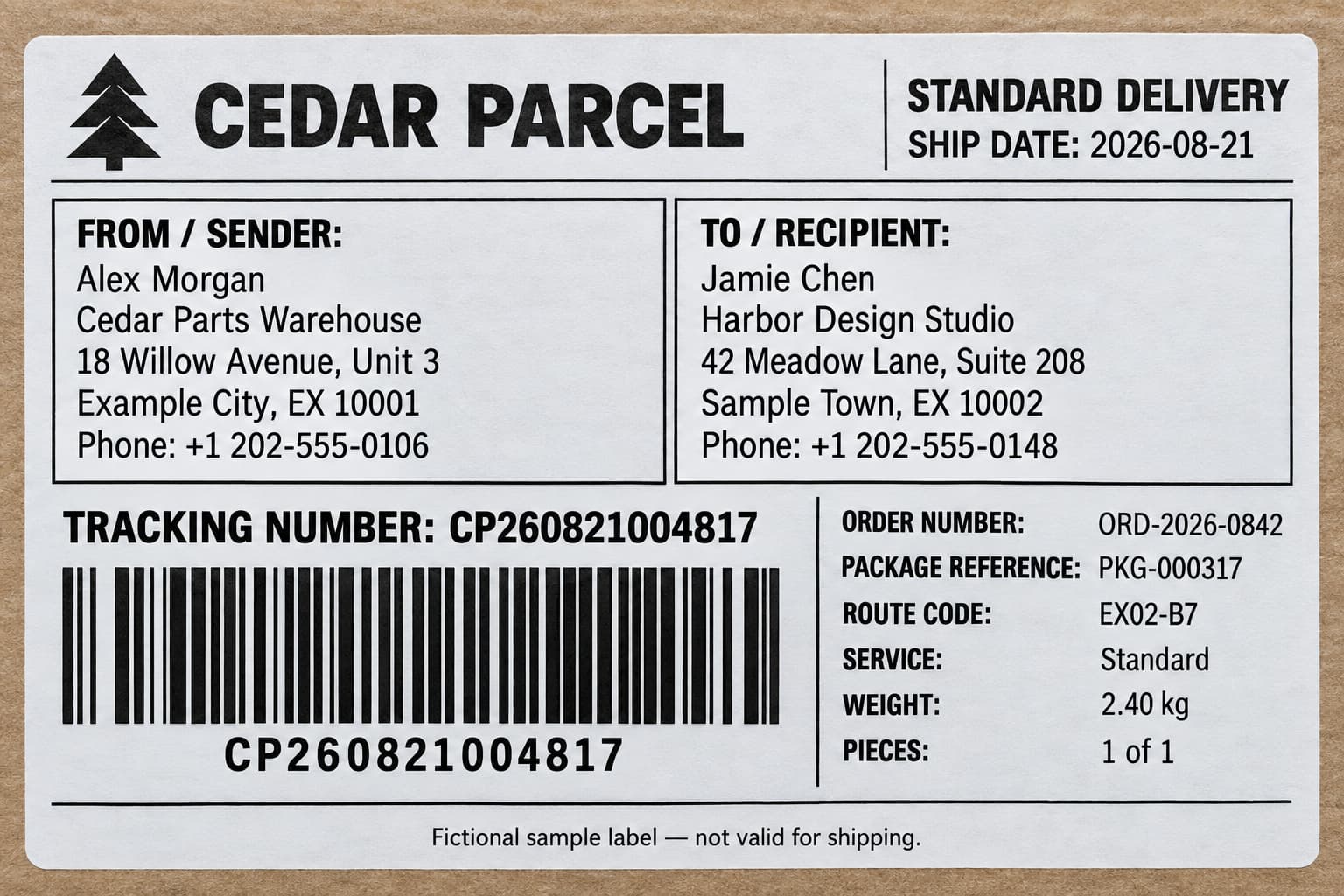
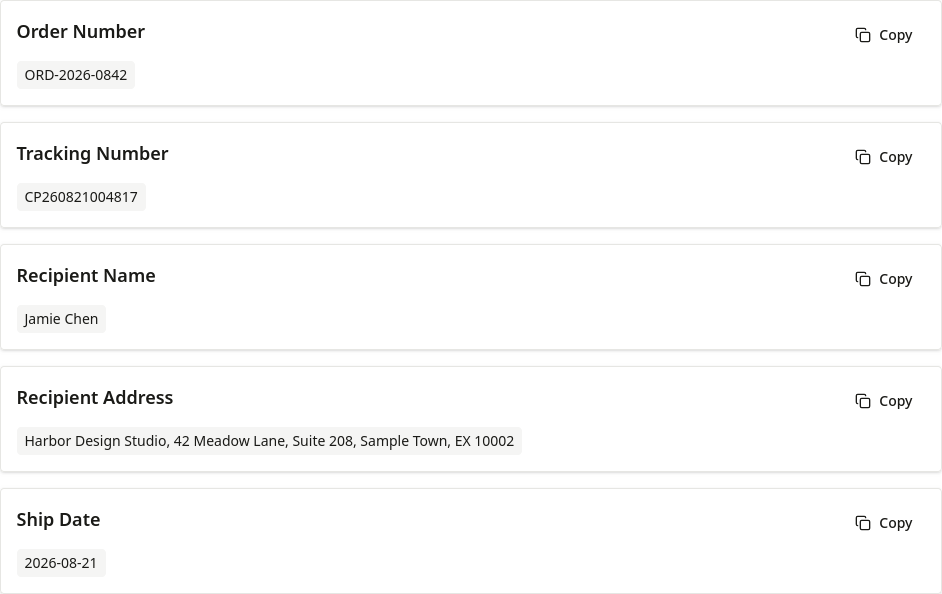
Extract the order number, tracking number, recipient name and address, and ship date.
03
Extract order details plus lists of SKUs, descriptions, quantities, unit prices, and amounts for four items.
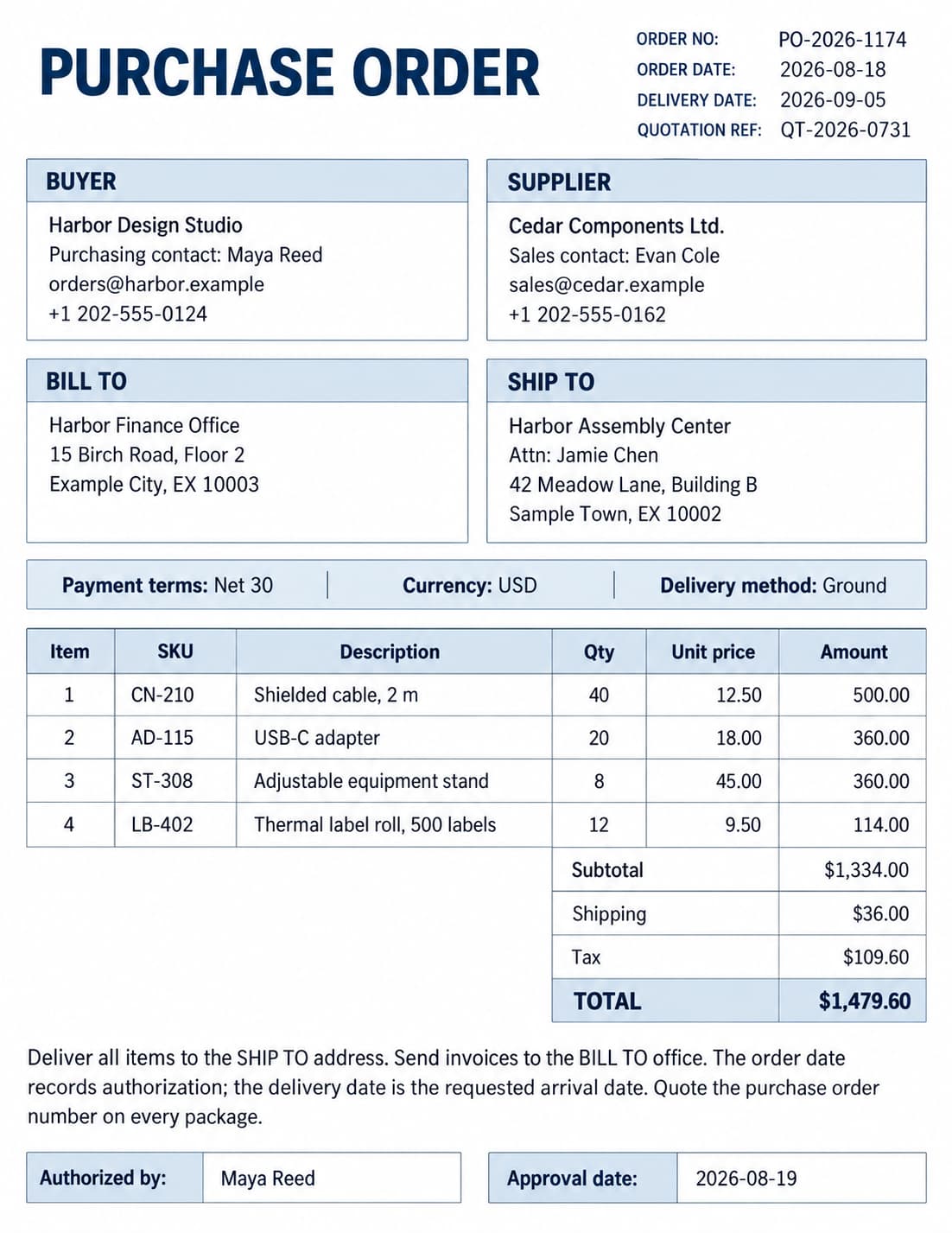
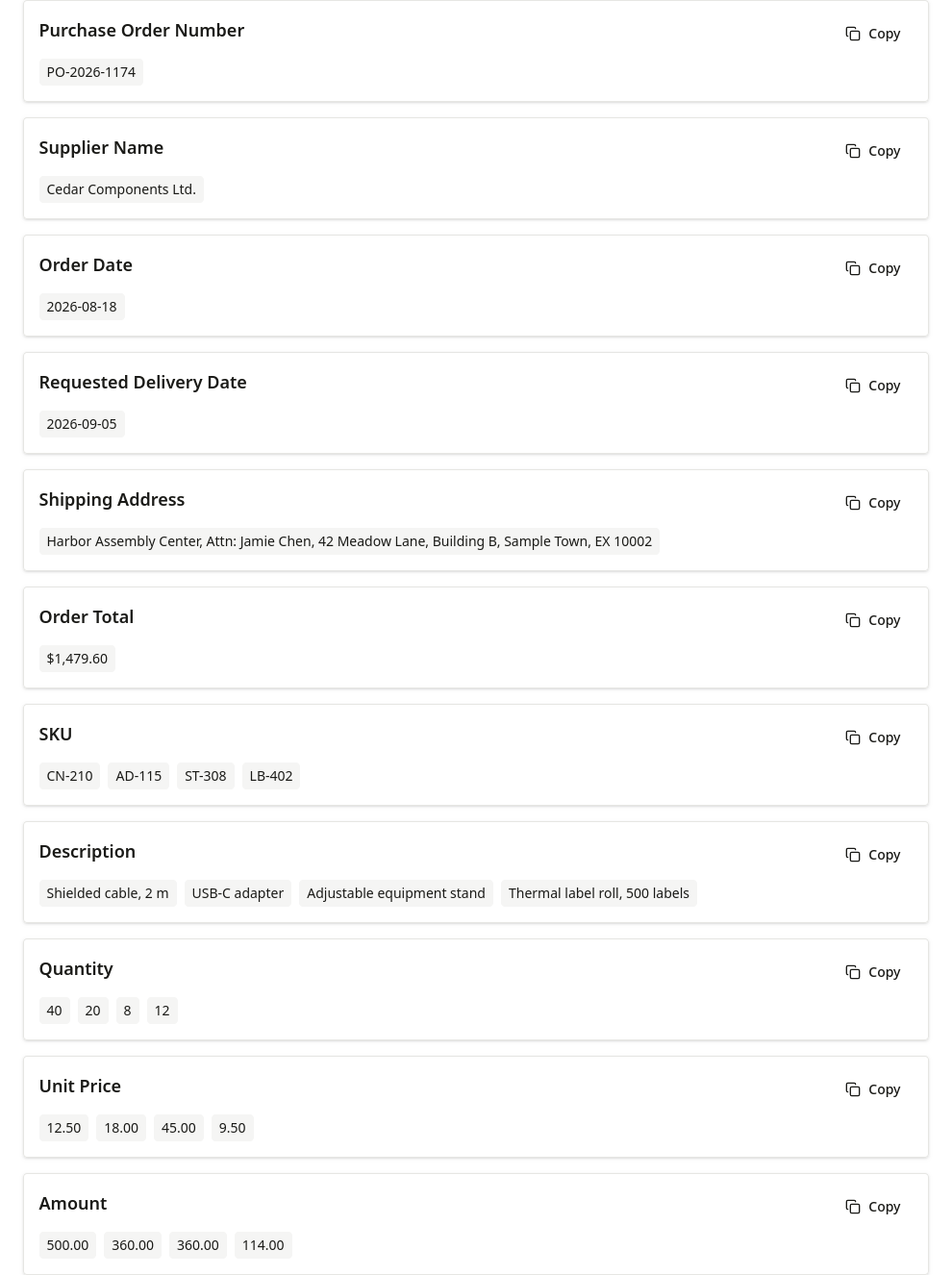
Documents contain fictional sample data. Screenshots show actual tool results; review important values before use.
Fields
You define the field names for each image instead of selecting a fixed template. Ask for the values relevant to your image, then verify the returned data.
Output
This is field-level structured output, not a reconstruction of the document layout.
Review each requested field and its returned values.
Copy one field or all results to the clipboard.
Download the field names and values as a CSV file.
Download the result as an XLSX workbook.
Comparison
| Tool | Best for | Output |
|---|---|---|
| OCR | Extracting all visible text | Text or structured document content |
| Table Extraction | Extracting a complete grid of rows and columns | Excel or CSV table |
| Field Extraction | Returning only fields you specify | Field names and values |
Scenarios
Request vendor, date, tax, total, or document number.
Request visible names, numbers, companies, or contact details.
Request selected form fields, addresses, or tracking numbers.
Request product names, identifiers, or prices from an image.
Request tracking numbers, sender or recipient details, addresses, and package references.
Request names, dates, certificate numbers, qualifications, or visible grades.
Next Steps
Move from a one-off image to a repeated document workflow when your task grows.
Apply one field list to multiple images and review each file in extraction history.
Process Images in Bulk02Compare single-image, batch, and API approaches for recurring business documents.
Explore Document Data Extraction Workflows03Send an image and field names from your application and receive JSON, CSV, or XLSX.
Automate with the Data Extraction APILimits
FAQ
Upload or paste one image, enter each field name, run extraction, and review the returned values.
Yes. Fields are free-text names that you add one at a time. The tool does not require a preset template or typed JSON schema.
The uploader accepts JPG, JPEG, PNG, WebP, BMP, HEIC, and HEIF images. It does not accept PDF files.
Yes. You can review results on screen, copy one field or all fields, and download CSV or XLSX. The free web tool does not provide a JSON download.
Accuracy varies with image clarity, layout, language, and the requested fields. Blur, glare, skew, and low resolution can reduce accuracy, so verify critical values.
OCR, table and field extraction share 10 free images per day without signing in. After using them, sign in to continue on the same page with credits. New accounts receive 50 bonus credits. You can buy permanent credits or subscribe; batch processing uses the workspace.
Yes, the signed-in bulk workspace accepts multiple images and applies one field list to the batch. Results are stored per file in extraction history and can be downloaded individually or packaged in a ZIP.
Drag & drop an image here, or click to upload
You can also paste an image (Ctrl+V / Cmd+V)
Loading today’s free allowance…