Image to Word: Why the Top-Ranked Tools Fail
However, if you search for "Image to Word" on Google, the top results are surprisingly disappointing. Most "big name" tools struggle with anything more complex than a clean, printed page.
I decided to put the industry leaders to the ultimate test: A handwritten invoice containing a table. Here is what happened.
The Reality Check: Putting the "Giants" to the Test
I tested a messy, handwritten invoice—a nightmare for standard OCR—against the top three results on Google. The results were either useless or non-existent.
| Tool | Rank | Result | Verdict |
|---|---|---|---|
| imagetotext.info | #1 | Simply embedded the original JPG into a Word file. | Pointless |
| iLovePDF | #2 | Performed basic OCR, but the output was a scrambled mess. | Unusable |
| Mathpix | #3 | Failed to return any result for this specific image. | Failure |
"Most tools treat 'Image to Word' as 'Put an Image inside Word.' That's not a conversion; that's a shortcut to a dead end."
The Visual Proof: Original vs. Competitors vs. FreeOCR.ai
1The Challenge (Original Image)
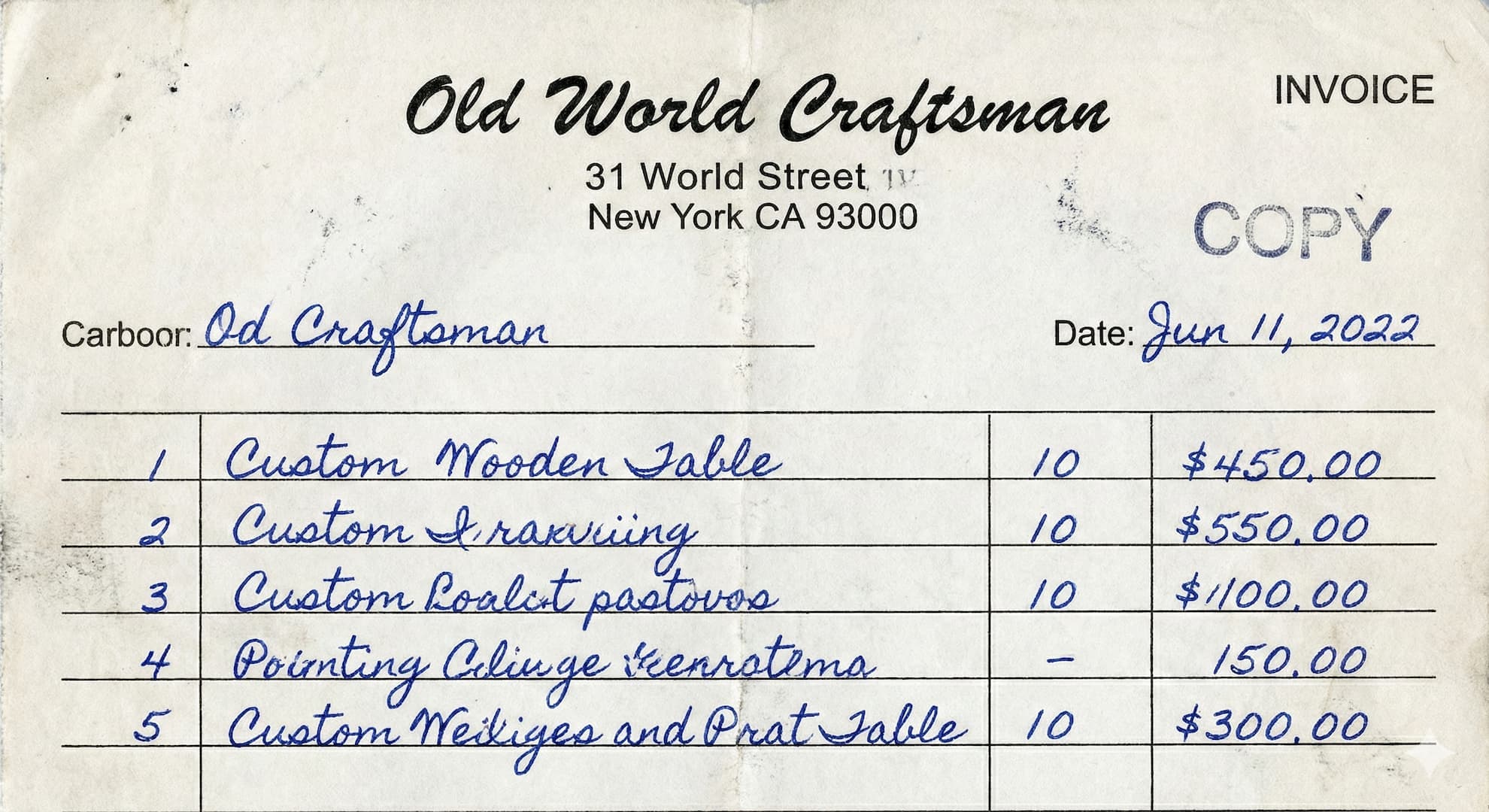
The Difficulty: Messy handwriting, faint lines, and a structured table that must remain intact.
2The "Fail" Gallery
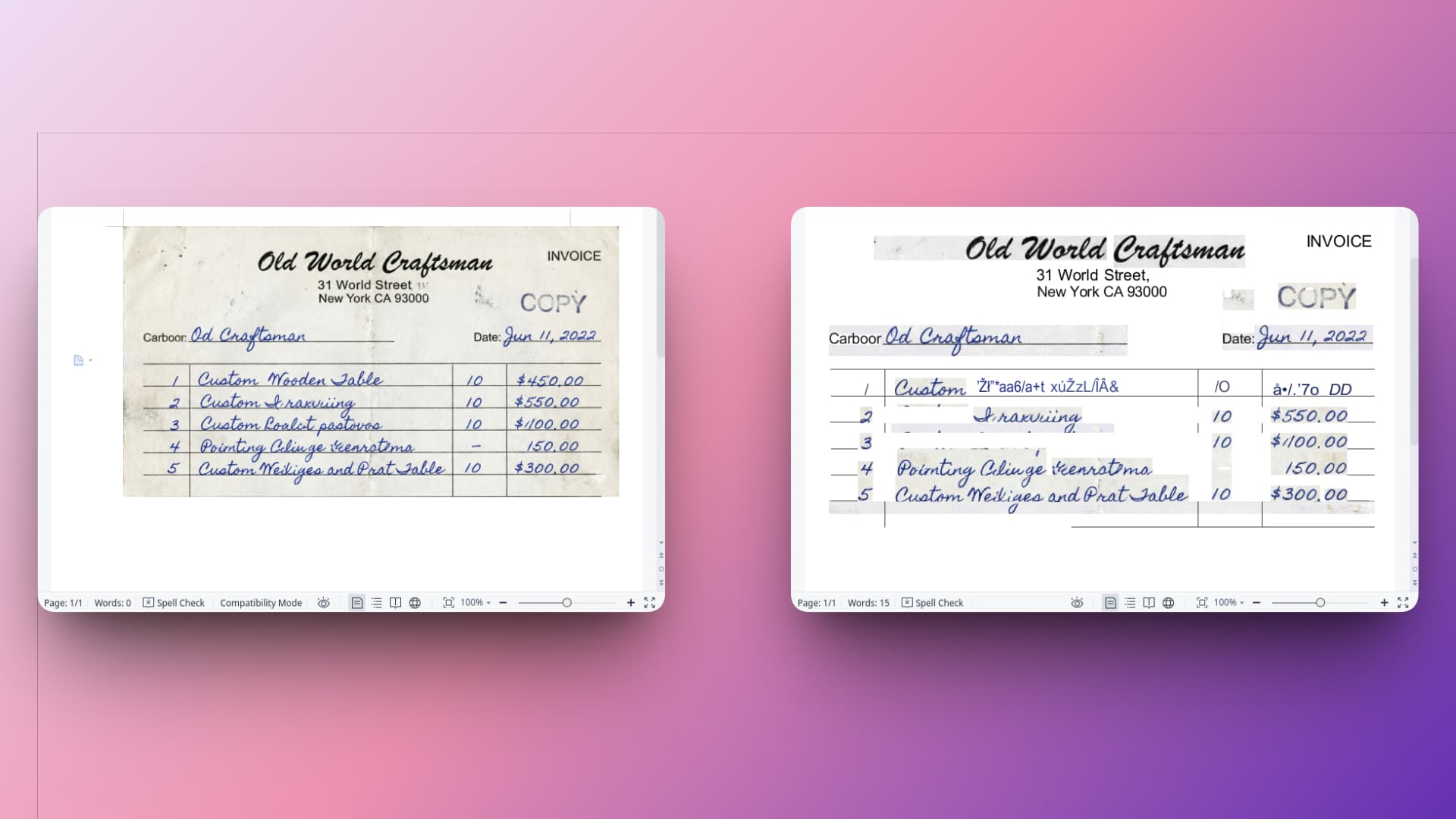
Top-ranked tools either simply embed the image or produce a scrambled, unformatted mess.
3The FreeOCR.ai Victory
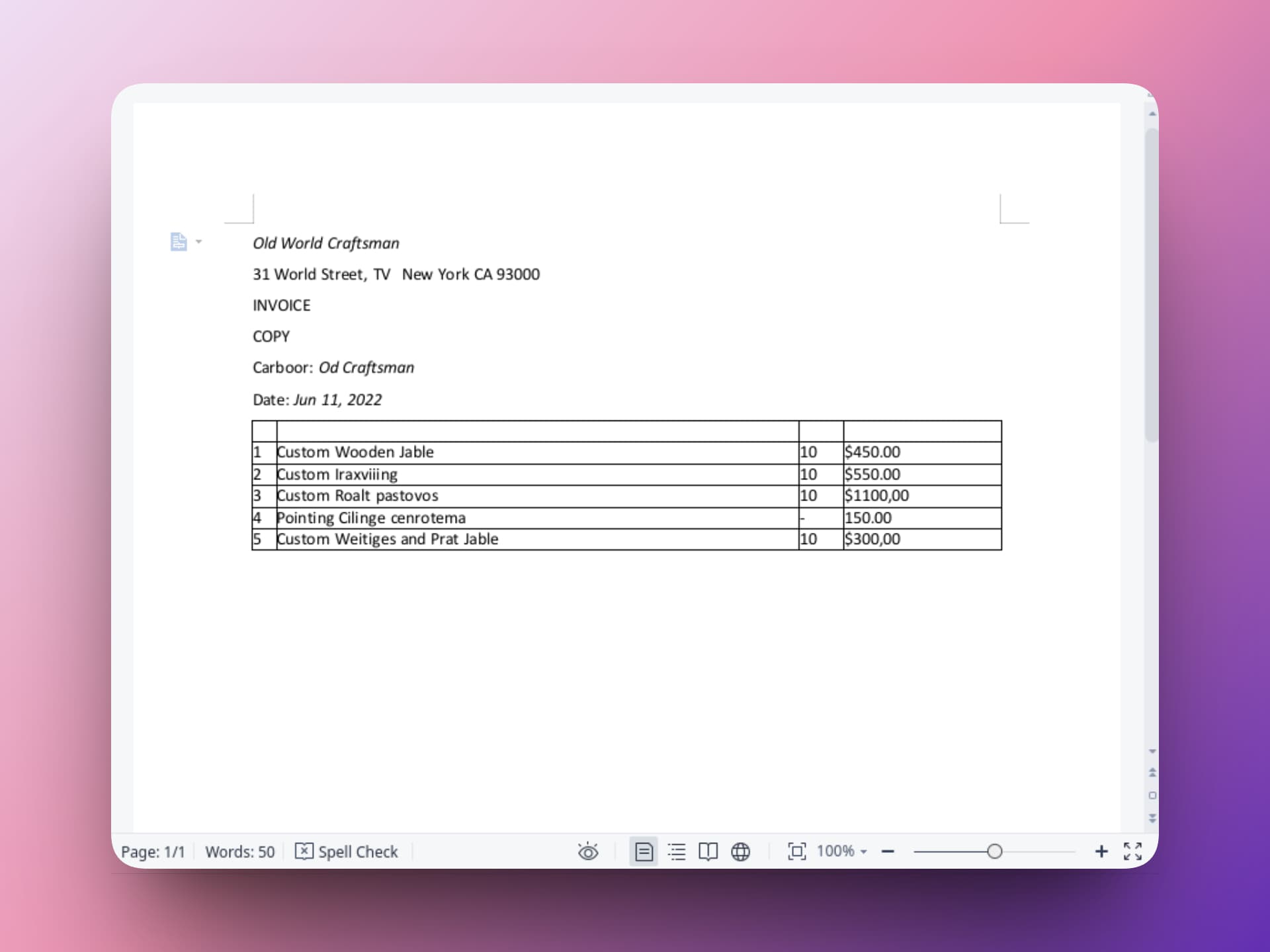
A perfectly reconstructed, editable Word table with the handwriting accurately converted into text.
Why freeocr.ai is the Ultimate Winner
True Table Reconstruction
This is where everyone else fails. Freeocr.ai doesn't just give you raw text; it rebuilds the table grid inside your Word document. You get actual cells, rows, and columns that you can type in immediately.
Superior Handwriting Recognition
Handwriting is the ultimate 'boss level' for OCR. Freeocr.ai's AI-driven engine interprets handwritten strokes with surgical precision, even on low-quality invoice photos.
Real Editability
Unlike tools that just 'stick a photo in a doc,' freeocr.ai delivers a clean, professionally formatted .docx file. It looks like you typed it yourself.
Stop Wasting Time on "Broken" Tools
If the goal of an "Image to Word" converter is to save time, why choose a tool that forces you to spend 20 minutes re-formatting a mess?
Experience what true AI conversion feels like. Try freeocr.ai today—the only "Image to Word" tool that actually understands the "Word" part.
Precision OCR for the modern web.
阅读更多 博客